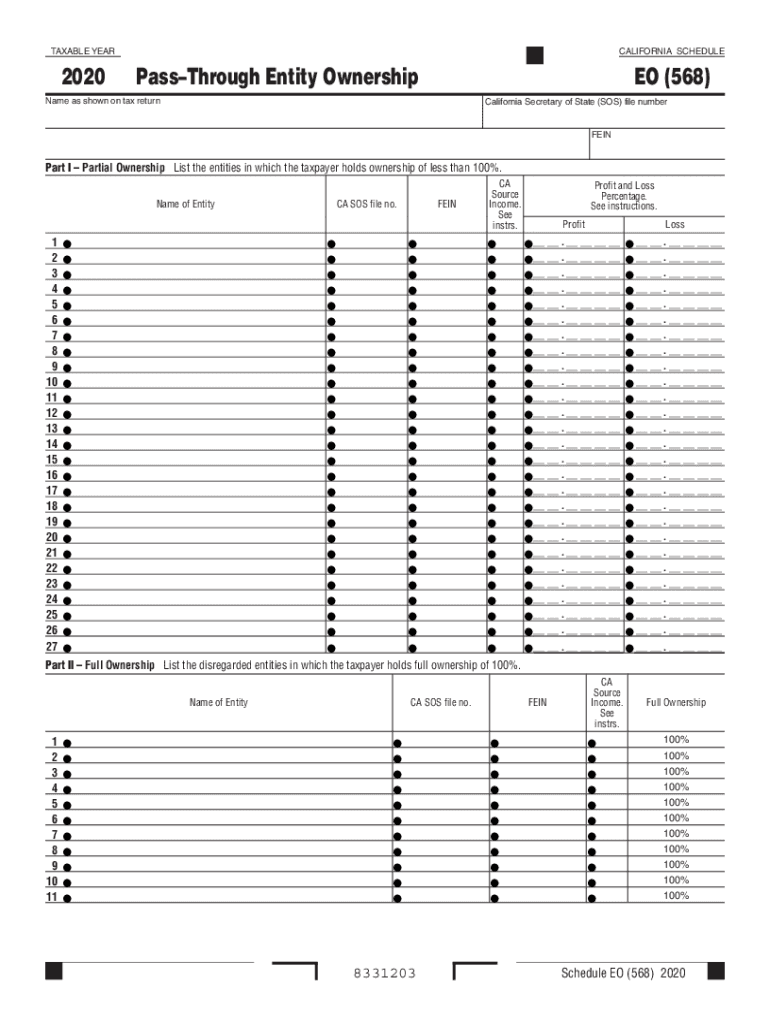
TAXABLE YEAR2020CALIFORNIA SCHEDULEPassThrough Entity Ownership EO (568)Name as shown on tax returnCalifornia Secretary of State (SOS) file numberFEINPart I Partial Ownership List the entities in.

Open form follow the instructions

Easily sign the form with your finger

Send filled & signed form or save
How to fill out the CA EO (568) online
The CA EO (568) form is essential for reporting the ownership of pass-through entities in California. This guide will provide you with step-by-step instructions to help you complete the form accurately and efficiently online.
Follow the steps to fill out the CA EO (568) online.
- Locate and click the ‘Get Form’ button to access the CA EO (568) form online.
- Enter the taxable year at the top of the form; ensure it corresponds to the tax year you are reporting.
- In the 'Name as shown on tax return' field, input your name exactly as it appears on your tax return.
- Provide your California Secretary of State (SOS) file number in the appropriate field.
- Input your Federal Employer Identification Number (FEIN) in the designated area.
- For Part I, list all entities where you hold less than 100% ownership. Fill in each entity’s name in the provided spaces.
- For each entity listed in Part I, include the CA SOS file number and FEIN as required.
- Indicate the source of income for each entity in the specified field.
- In the 'Profit and Loss Percentage' section, enter the percentage of profit or loss for each entity appropriately.
- In Part II, if applicable, list any disregarded entities you fully own (100%). Repeat the same information entry as in Part I for these entities.
- Once you have filled out all required fields, review the form for accuracy.
- Finally, you can save the changes, download, print, or share the completed CA EO (568) form as necessary.
Complete your CA EO (568) form online today to ensure accurate reporting.
Experience a faster way to fill out and sign forms on the web. Access the most extensive library of templates available.
Related content
California. Forms & Instructions. 568. 2016. Limited Liability Company Tax ... Members of...
Oct 28, 2016 — return. Mail the California return on or before November 15, 2016 to:...
Use professional pre-built templates to fill in and sign documents online faster. Get access to thousands of forms.
If you believe that this page should be taken down, please follow our DMCA take down process here.
This form is available in several versions. Select the version you need from the drop-down list below.