Loading
Get Ca Boe-230-h-1 2017
How it works
-

Open form follow the instructions
-

Easily sign the form with your finger
-

Send filled & signed form or save
How to fill out the CA BOE-230-H-1 online
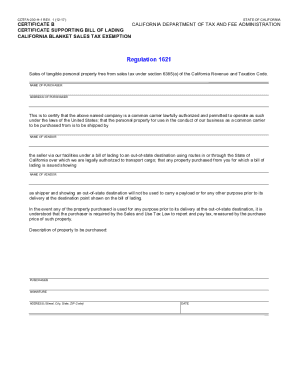
Filling out the CA BOE-230-H-1 form online can streamline the process of certifying a blanket sales tax exemption for your purchases. This guide provides clear, step-by-step instructions to help you complete the form accurately and efficiently.
Follow the steps to complete your CA BOE-230-H-1 form online.
- Click the ‘Get Form’ button to access the CA BOE-230-H-1 form and open it in your preferred online editor.
- Enter the name of the purchaser in the designated field. Ensure that this is the legal name of the company or individual that is making the purchase.
- Provide the address of the purchaser. This should include the street address, city, state, and ZIP code, ensuring all information is accurate for processing.
- In the section for vendor information, input the name of the vendor from whom the items will be purchased. This identifies the seller involved in the transaction.
- Describe the property to be purchased in detail. Be specific about the items, as this description is crucial for tax exemption purposes.
- Add your signature as the purchaser, confirming that all information provided is truthful and that you understand the responsibilities under the Sales and Use Tax Law.
- Include your address again in the section provided, making sure it matches the address given earlier.
- Enter the date on which you are completing this form to ensure a clear audit trail.
- Review all entries for accuracy before proceeding. Once complete, you can save your changes, download, print, or share the form as necessary.
Complete your CA BOE-230-H-1 form online today to ensure your tax exemption process is efficient and hassle-free.
Get form
Experience a faster way to fill out and sign forms on the web. Access the most extensive library of templates available.
Get This Form Now!
Use professional pre-built templates to fill in and sign documents online faster. Get access to thousands of forms.