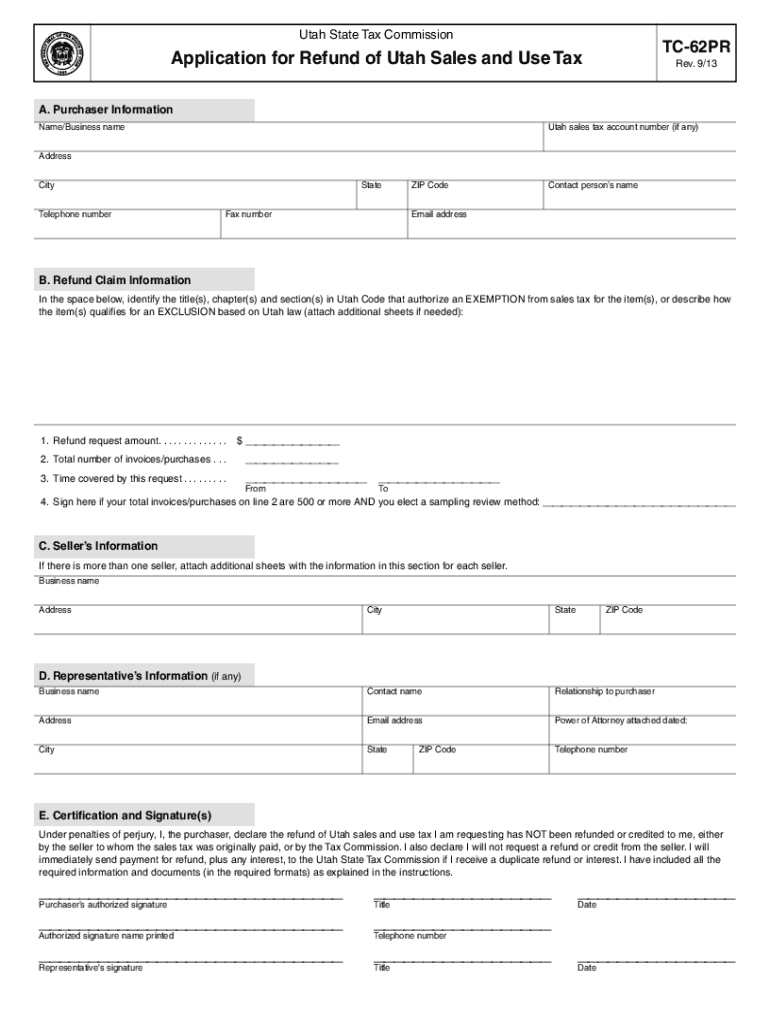
Utah State Tax CommissionTC62PRApplication for Refund of Utah Sales and Use TaxClear formPrint Form A. Purchaser Information Name/Business nameRev. 9/13Utah sales tax account number (if any)Address CityStateTelephone.
Loading

Open form follow the instructions

Easily sign the form with your finger

Send filled & signed form or save
How to fill out the UT TC-62PR online
Filling out the UT TC-62PR form is essential for individuals or businesses seeking a refund for sales and use tax in Utah. This comprehensive guide will provide you with step-by-step instructions for completing the application online, ensuring a smooth and efficient process.
Follow the steps to accurately complete your application.
- Click ‘Get Form’ button to obtain the form and open it in the editor.
- Begin by entering your purchaser information. This includes the name or business name, Utah sales tax account number (if any), address, city, state, telephone number, fax number, ZIP code, contact person’s name, and email address.
- In the refund claim information section, identify the titles, chapters, and sections in Utah Code that justify your exemption from sales tax or describe how your items qualify for an exclusion based on Utah law. You may attach additional sheets if necessary.
- State the refund request amount, total number of invoices or purchases, and the time covered by the request by providing 'From' and 'To' dates.
- If your total invoices or purchases are 500 or more, and you elect a sampling review method, sign the appropriate line in the refund claim information section.
- Fill in the seller’s information. If there are multiple sellers, attach additional sheets with the required information for each seller.
- Provide your representative’s information if applicable, ensuring that the section is thoroughly filled out.
- In the certification and signature section, review the statement and provide your authorized signature, title, and date. If applicable, include the authorized signature name printed and the telephone number.
- Once all sections are completed, review the entire form for accuracy. Save changes and, if necessary, download and print the form.
- Submit the completed form along with all required documentation to the Utah State Tax Commission via the specified mailing address.
Start completing the UT TC-62PR form online today to ensure you receive your tax refund promptly.
Experience a faster way to fill out and sign forms on the web. Access the most extensive library of templates available.
Related content
Sales and Use Tax Refund Worksheet for TC-62PR, Application for Purchaser Refund of Utah...
Workshop Sign In Sheet] where attendees reviewed student outcomes and equity data and...
... Introduction; Run Folder Path; Contents of Run Folders; Sample Sheets; Introduction;...
Use professional pre-built templates to fill in and sign documents online faster. Get access to thousands of forms.
If you believe that this page should be taken down, please follow our DMCA take down process here.