Loading
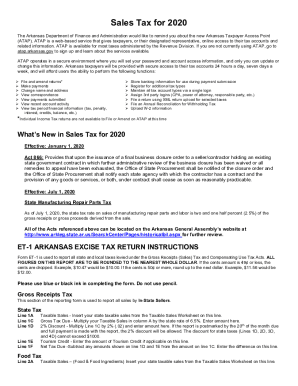
Get Ar Instructions Et-1 2020-2026
How it works
-

Open form follow the instructions
-

Easily sign the form with your finger
-

Send filled & signed form or save
How to fill out the AR Instructions ET-1 online
Filling out the AR Instructions ET-1 form can seem daunting, but with the right guidance, it can be a straightforward process. This guide will walk you through each section and field of the form, ensuring you understand what information is required and how to complete it correctly.
Follow the steps to successfully complete the AR Instructions ET-1 online
- Press the ‘Get Form’ button to access the AR Instructions ET-1 and open it in your preferred online editor.
- Begin by accurately entering your total taxable sales for the reporting period from the Taxable Sales Worksheet. This information must be inputted in the appropriate fields for Gross Receipts Tax, Food Tax, Manufacturing Utility Tax, Aviation Tax, Vendor Use Tax, and Consumer Use Tax.
- For each tax category (e.g., Gross Receipts Tax and Food Tax), calculate the Gross Tax Due by multiplying your Taxable Sales by the applicable state tax rate. Be sure to enter the result in the Gross Tax Due fields.
- If eligible, apply the 2% discount by calculating 2% of the Gross Tax Due. Record this amount in the discount field. Remember that this discount is only applicable if the report is postmarked by the 20th of the month due.
- If you have any applicable Tourism Credits, enter them in the designated fields. Subtract these credits from your Gross Tax Due to determine the Net Tax Due for that section.
- Complete similar calculations for all other tax categories, ensuring to reference your Taxable Sales Worksheet for accurate figures.
- Complete the Local Sales and Use Taxes section, entering city and county details as required, along with the appropriate local tax codes and rates.
- At the end of the form, add the totals for all sections to determine your Total Tax Due. Ensure that your calculations are accurate.
- Finally, sign the form in the designated section by the responsible party and review all entries for accuracy before submission. You can save changes, download, print, or share the completed form as needed.
Complete your AR Instructions ET-1 online today to ensure compliance and timely reporting.
No fee is required for this exemption certificate and it does not expire. All valid non-profit state exemption certificates start with the numbers 98 or 098.