Loading
Get Ga Dor St-3 2013
How it works
-

Open form follow the instructions
-

Easily sign the form with your finger
-

Send filled & signed form or save
How to fill out the GA DoR ST-3 online
The GA DoR ST-3 form is essential for reporting sales and use tax in the state of Georgia. This guide provides clear, step-by-step instructions on how to fill out the form online, ensuring compliance and accuracy.
Follow the steps to effectively complete the GA DoR ST-3 form online.
- Click ‘Get Form’ button to obtain the form and open it in the document editor.
- Record your Sales and Use Tax Number (STN), name, and address in the designated fields.
- Specify the period ending date (mm/dd/yy) for the reporting period in the relevant field.
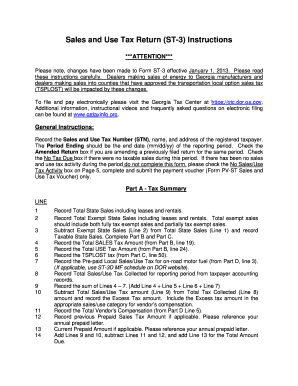
- Navigate to Part A - Tax Summary and fill in the total state sales, total exempt state sales, and calculate the taxable state sales by subtracting Line 2 from Line 1.
- Proceed to Part B - Sales Tax Distribution Table, entering applicable taxable sales and calculating the sales tax amount for various jurisdictions.
- Complete Part C if applicable, recording TSPLOST sales and use tax amounts and summing them.
- Report any bad debt in Part E and check Part F for certification and signature requirements.
- Once all fields are completed, you may save changes, download, print, or share the form as needed.
Complete your GA DoR ST-3 form online today for accurate and timely tax reporting.
Get form
Experience a faster way to fill out and sign forms on the web. Access the most extensive library of templates available.
Related links form
A withholding tax state ID is a unique identifier assigned to businesses by the Georgia Department of Revenue for tracking state tax withholding. This ID ensures accurate reporting and payment of employee withholdings. If you need help with the application process, uslegalforms can provide valuable assistance and resources.
Get This Form Now!
Use professional pre-built templates to fill in and sign documents online faster. Get access to thousands of forms.