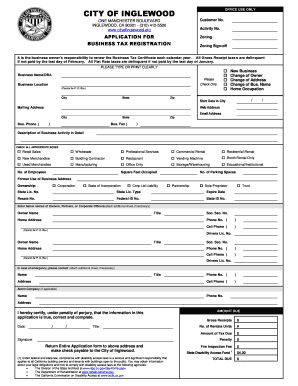
Get Ca Application For Business Tax Registration
How it works
-

Open form follow the instructions
-

Easily sign the form with your finger
-

Send filled & signed form or save
How to fill out the CA Application for Business Tax Registration online
This guide provides a comprehensive and user-friendly approach to completing the CA Application for Business Tax Registration online. Follow the steps below to ensure that your application is filled out accurately and submitted successfully.
Follow the steps to successfully complete your application.
- Press the ‘Get Form’ button to access the application and open it in your chosen editor.
- Begin by entering your business name or 'Doing Business As' (DBA) in the designated field. Ensure this is the official name under which your business operates.
- Provide the business location. Note that a P.O. Box is not acceptable. Input the complete address, including the city, state, and zip code.
- Select the appropriate options regarding the nature of your application, such as 'New Business,' 'Change of Owner,' 'Change of Address,' or 'Change of Business Name.'
- Indicate the start date of your business in the city in the provided field.
- Complete the mailing address section, if different from your business location. Include your web address and email address for correspondence.
- Fill in your business phone and fax numbers. Ensure these numbers are accurate to facilitate communication.
- Provide a detailed description of your business activity and check all appropriate boxes that correspond to your operations (e.g., 'Retail Sales,' 'Wholesale').
- State the number of employees, square footage occupied, and the number of parking spaces available for your business.
- Specify the former use of the business address and select your ownership type, indicating if it is a corporation, partnership, sole proprietorship, or trust.
- Enter required licenses and identification numbers, such as the state license number and federal ID number.
- List the names, titles, and home addresses of owners, partners, or corporate officers, attaching an additional sheet if necessary.
- Provide emergency contact details, including name, title, address, and phone numbers.
- Sign and date the application, certifying that all information provided is true and correct.
- After completing the form, save your changes. You can download, print, or share the form as needed.
Complete your CA Application for Business Tax Registration online today to ensure your business is registered and compliant.
Related links form
A California certificate of good standing usually takes about a week or two from the time you submit your request. This document proves that your business is compliant with state regulations and has fulfilled required tax obligations. By ensuring your CA Application for Business Tax Registration is complete, you pave the way for receiving this certificate without unnecessary delays.