Loading
Get Ky Dor 720s 2019-2026
How it works
-

Open form follow the instructions
-

Easily sign the form with your finger
-

Send filled & signed form or save
How to fill out the KY DoR 720S online
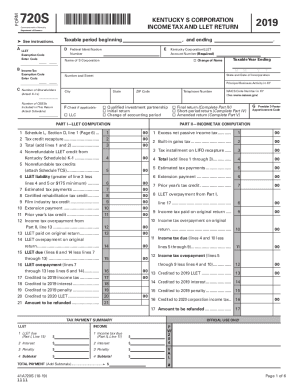
The KY DoR 720S form is essential for Kentucky S corporations to report their income tax and limited liability entity tax. This guide provides straightforward instructions for completing the form online, ensuring clarity and ease for all users.
Follow the steps to complete the KY DoR 720S form online.
- Click ‘Get Form’ button to obtain the KY DoR 720S form and open it in your preferred document management system.
- Begin by entering the taxable period in the designated fields: indicate the start and end dates for the tax year.
- Provide your federal identification number and Kentucky corporation/LLET account number in the appropriate sections.
- Fill in the name of the S corporation and check any applicable boxes, such as change of name or if it is the final return.
- Complete the income tax computation by accurately entering data in the required fields, including total income and applicable credits.
- Proceed to the ordinary income computation section, making sure to detail any additions and subtractions as applicable.
- If applicable, explain final or short-period returns in Part IV, and ensure to provide any necessary details.
- Complete Part V if you are filing an amended return, explaining the changes you are making.
- Review the officer information section, ensuring all details, including names and addresses, are accurate and complete.
- Finally, save the document, and then download, print, or share the completed KY DoR 720S form as needed.
Complete the KY DoR 720S form online today for accurate and timely processing.
Related links form
Efile Kentucky Tax Return The eSmart Tax online tax return filing solution makes it easy to efile your Kentucky state tax return using the correct state tax forms. Prepare your full-year resident Kentucky state tax return alongside your federal tax return for your convenience.