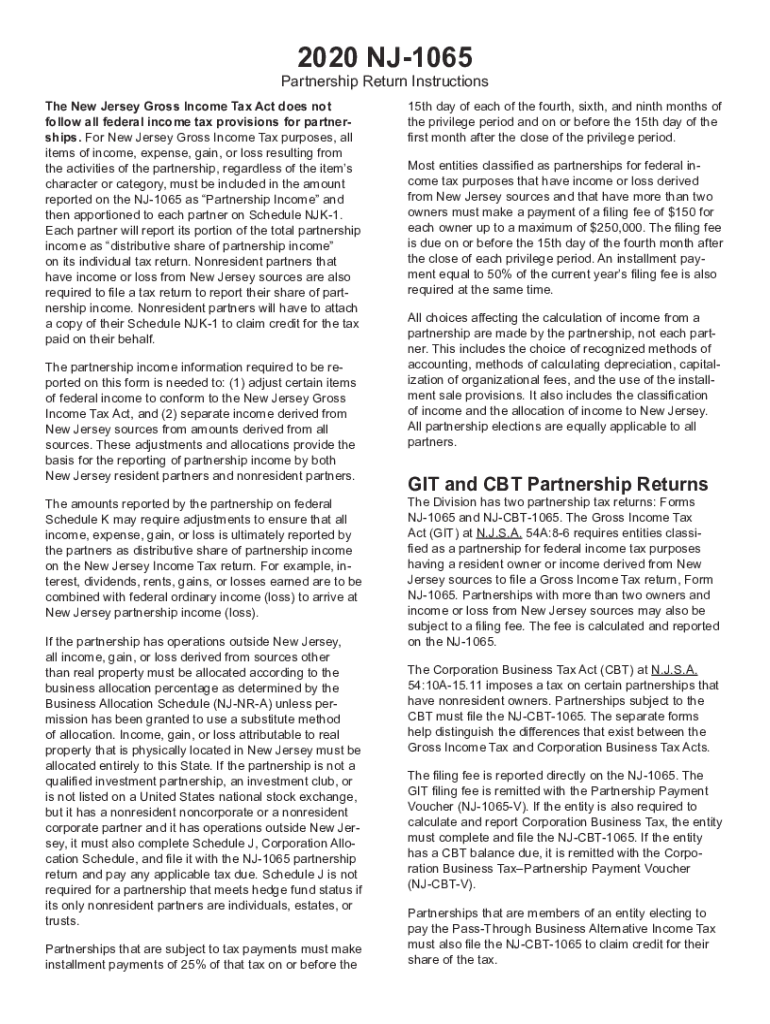
2020 NJ1065Partnership Return Instructions The New Jersey Gross Income Tax Act does not follow all federal income tax provisions for partnerships. For New Jersey Gross Income Tax purposes, all items.
Loading

Open form follow the instructions

Easily sign the form with your finger

Send filled & signed form or save
How to fill out the NJ NJ-1065 Instructions online
Filling out the NJ NJ-1065 form is essential for partnerships with income or loss in New Jersey. This guide provides a straightforward approach to completing the NJ NJ-1065 Instructions online, ensuring you understand each section and field.
Follow the steps to successfully complete the NJ NJ-1065 form online.
- Click the ‘Get Form’ button to obtain the form and open it in your browser.
- Enter the name, trade name, and address of the partnership in the designated fields at the top of the form. Ensure that the federal employer identification number (FEIN) is included.
- Specify whether this is an initial, final, or amended return by checking the appropriate boxes provided.
- Complete the sections for federal partnership income by entering amounts from the federal Form 1065. Carefully follow the instructions for each line, ensuring that all income or loss details are reported accurately.
- Input New Jersey additions and subtractions in the applicable fields, ensuring any relevant adjustments are clearly specified.
- Calculate the New Jersey allocated income using the Business Allocation Schedule. If applicable, ensure you complete the NJ-NR-A.
- Provide the necessary information for each partner in the Partners Directory, including residency status and share of partnership income. Ensure correct codes and percentages are used.
- After reviewing all the information for accuracy, save your changes. You may then choose to download, print, or share the completed form as needed.
Complete your NJ NJ-1065 form online today for a seamless filing experience.
Experience a faster way to fill out and sign forms on the web. Access the most extensive library of templates available.
Related content
Partnerships subject to the. CBT must file the NJ-CBT-1065. The separate forms help...
Please read instructions carefully before filling out this form. TRENTON, NJ ... O...
unemployment tax (see the instructions for Step 2). If any states don't ... NJ. New...
Get answers to your most pressing questions about US Legal Forms API.
How do I file a 1065 tax return?
Fill in Boxes A Through J. Once you have all the documents handy, it'll be time to fill out boxes A through J, which are located on the very top of 1065 Form. ... Complete the Remainder of Page 1. ... Fill Out Schedule B. ... Complete Schedule K. ... Fill Out the Remaining Sections. ... Review and File with the IRS.
How do I file my LLC taxes in NJ?
For New Jersey Gross Income Tax purposes, every partnership or limited liability company (LLC) that has income from sources in the State of New Jersey, or has a New Jersey resident partner, must file the New Jersey Partnership return, Form NJ-1065. Form NJ-1065 is no longer solely an information return.
How do I file a 1065 return?
Gather Information Needed to File Form 1065. ... Fill Out Form 1065 General Info Section. ... Fill Out Form 1065 Income & Deductions Section. ... Fill Out Form 1065 Schedule B. ... Fill Out Form 1065 Schedule K.
What is physical nexus NJ?
The legislation creates a rebuttable presumption of nexus when a seller makes sales of tangible personal property, specified digital products or services via a commissioned independent contractor who directly or indirectly refers potential customers, by a link on an Internet website or otherwise, to the seller.
What is the difference between 1120 and 1065?
If the LLC is a partnership, normal partnership tax rules will apply to the LLC and it should file a Form 1065, U.S. Return of Partnership Income. ... The 1120 is the C corporation income tax return, and there are no flow-through items to a 1040 or 1040-SR from a C corporation return.
How do I file personal taxes with an LLC?
The IRS treats one-member LLCs as sole proprietorships for tax purposes. This means that the LLC itself does not pay taxes and does not have to file a return with the IRS. As the sole owner of your LLC, you must report all profits (or losses) of the LLC on Schedule C and submit it with your 1040 tax return.
Does NJ accept federal partnership extension?
Extension of Time to File If a five-month extension is obtained for filing federal Form 1065, then an automatic five-month extension is granted for submitting your NJ-1065. A copy of your ap- plication for federal extension, federal Form 7004, must be filed with your New Jersey return.
Do I file 1065 with my 1040?
Schedule K-1 (Form 1065) is a source document that is prepared by a Partnership as part of the filing of their tax return (Form 1065). ... The K-1 reflects a partner's share of income, deductions, credits and other items that the partner will need to report on their individual tax return (Form 1040).
Does New Jersey accept federal extension?
A New Jersey tax extension can be obtained by first filing a Federal tax extension (IRS Form 4868). If you have a valid Federal extension, you will automatically be granted a New Jersey extension. You must attach a copy of your Federal extension to your New Jersey tax return when it's filed.
Use professional pre-built templates to fill in and sign documents online faster. Get access to thousands of forms.
If you believe that this page should be taken down, please follow our DMCA take down process here.