Loading
Get Ar Dfa Ar1000anr 2010-2026
How it works
-

Open form follow the instructions
-

Easily sign the form with your finger
-

Send filled & signed form or save
How to fill out the AR DFA AR1000ANR online
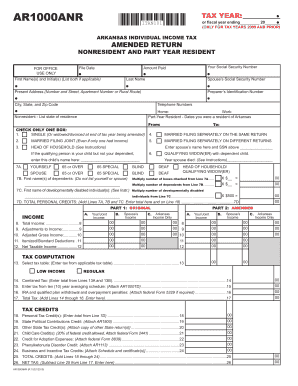
The AR DFA AR1000ANR is an essential form for amending your Arkansas individual income tax return. This guide will provide step-by-step instructions to ensure your online submission is accurate and complete.
Follow the steps to successfully complete your AR DFA AR1000ANR.
- Click ‘Get Form’ button to obtain the form and open it in your preferred editor.
- Fill in the tax year at the top of the form. This is indicated as ‘Tax Year: AR1000ANR’ and may include fiscal year details if applicable.
- Enter your Social Security Number in the designated field to identify your tax record.
- Provide your first name(s) and last name, ensuring to list both if applicable. Include the spouse’s Social Security Number if filing jointly.
- Complete the present address section, including any apartment number or rural route information.
- Input the preparer’s identification number for any tax professionals you engage.
- Fill in the city, state, and zip code corresponding to your address.
- List your home and work telephone numbers to ensure easy communication regarding your return.
- Indicate if you were a part-year resident or nonresident, providing the relevant dates or state of residence.
- Select your filing status by checking one of the provided boxes, which include options for single, married filing jointly, and head of household.
- For dependents, list their first names in the designated field, followed by filling in any applicable personal credits as instructed.
- Proceed to enter your income details for yourself and your spouse in the appropriate sections.
- Complete the tax computation sections, ensuring to total credits and net tax accurately.
- When finished with all sections, you can save changes, download, print, or share the form as needed.
Start filling out your AR DFA AR1000ANR form online today for a seamless tax amendment process.