Loading
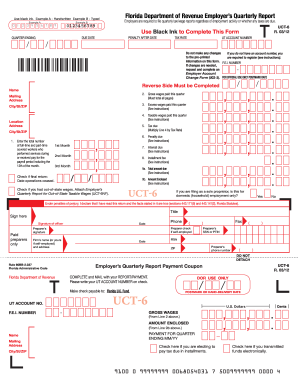
Get Fl Dor Rt-6 (formerly Uct-6) 2012
How it works
-

Open form follow the instructions
-

Easily sign the form with your finger
-

Send filled & signed form or save
How to use or fill out the FL DoR RT-6 (Formerly UCT-6) online
The FL DoR RT-6 form is an essential document for employers in Florida to report quarterly wages and taxes. Filling it out correctly ensures compliance with state regulations and avoids penalties.
Follow the steps to fill out the FL DoR RT-6 online.
- Click the ‘Get Form’ button to access the FL DoR RT-6 form and open it in the designated editor.
- Enter the quarter ending date in the appropriate format at the top of the form. This indicates the time frame for the wages reported.
- Provide the name and mailing address of the employer. Ensure that the information is accurate to ensure proper processing.
- Report the gross wages paid during the quarter. This total should include wages from all pages of the form.
- Calculate the tax due by multiplying the taxable wages by the applicable tax rate. Enter the total amount in the designated field.
- Complete all necessary fields on the reverse side of the form, including additional employee wage details, if required.
Complete your forms online to streamline your filing process and ensure compliance.
Get form
Experience a faster way to fill out and sign forms on the web. Access the most extensive library of templates available.
The RT-6 report in Florida refers to the reporting form related to the Consumer's Certificate of Exemption. This report provides essential information regarding your tax-exempt purchases and must be filed to comply with state regulations. Utilizing the FL DoR RT-6 (Formerly UCT-6) ensures that you stay up-to-date with your obligations and benefits.
Get This Form Now!
Use professional pre-built templates to fill in and sign documents online faster. Get access to thousands of forms.