Loading
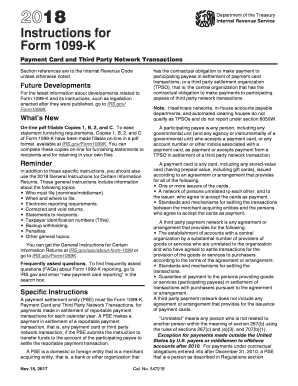
Get Irs Instructions 1099-k 2018
This website is not affiliated with IRS
How it works
-

Open form follow the instructions
-

Easily sign the form with your finger
-

Send filled & signed form or save
How to fill out the IRS Instructions 1099-K online
Filing Form 1099-K can be a straightforward process if you follow the correct instructions carefully. This guide will provide you with step-by-step guidance on how to accurately fill out the IRS Instructions for Form 1099-K online.
Follow the steps to fill out the IRS Instructions 1099-K online.
- Use the ‘Get Form’ button to obtain the form and open it in your selected editor.
- Enter the name, address, and telephone number of the entity responsible for the filing in the appropriate boxes at the top left corner of the form. Make sure the telephone number allows payees to reach someone knowledgeable about the reported payments.
- Fill out Box 1a with the total gross amount of reportable payment card and third-party network transactions for the calendar year. This amount should reflect all payments without adjustments for any fees or refunds.
- Complete Box 1b if applicable, by reporting the gross amount of payment card transactions where the card was not present during the transaction.
- Indicate the Merchant Category Code (MCC) in Box 2, which identifies the classification of the business or service provided.
- In the Transactions Reported section, check the appropriate boxes to indicate whether you are reporting payment card transactions or third-party network transactions.
- Fill in the number of payment transactions in Box 3, which should not include refunded transactions.
- If applicable, enter any federal income tax withheld in Box 4, especially if there are issues with taxpayer identification numbers on file.
- In Boxes 6 through 8, input state information if you are participating in the Combined Federal/State Filing Program where necessary.
- Review all the information for accuracy, and once complete, save your changes to the document, then choose the option to download, print, or share the completed form.
Start filling out your IRS Instructions 1099-K online today to ensure timely reporting.
Get form
Experience a faster way to fill out and sign forms on the web. Access the most extensive library of templates available.
Related links form
The new IRS rule for digital income mandates that amounts over $600 received from third-party payment apps must be reported on Form 1099-K. This change impacts many individuals and small businesses who rely on these platforms for transactions. For clarity on your tax obligations regarding digital income, our IRS Instructions 1099-K provide essential insights.
Get This Form Now!
Use professional pre-built templates to fill in and sign documents online faster. Get access to thousands of forms.