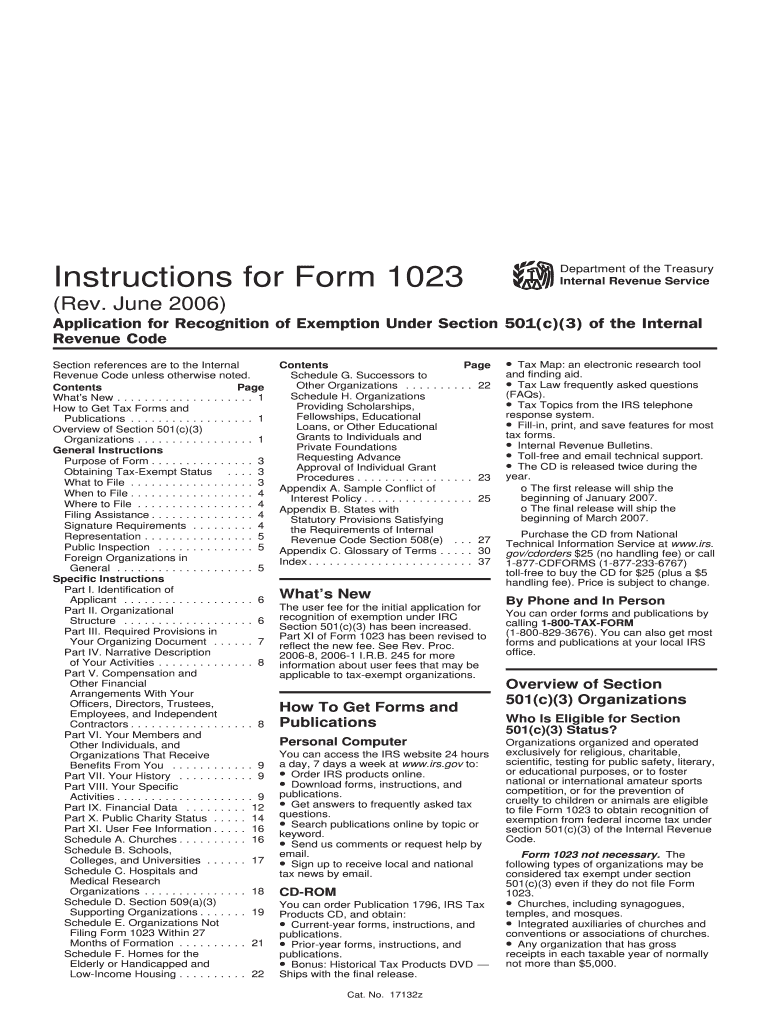
Application for recognition of exemption under IRC Section 501(c)(3) has been increased. Part XI of Form 1023 has been revised to reflect the new fee. See Rev. Proc. 2006-8, 2006-1 I.R.B. 245 for more information about user fees that may be applicable to tax-exempt organizations. How To Get Forms and Publications Personal Computer You can access the IRS website 24 hours a day, 7 days a week at www.irs.gov to: Order IRS products online. Download forms, instructions, and publications.
Loading

Open form follow the instructions

Easily sign the form with your finger

Send filled & signed form or save
How to fill out the IRS Instruction 1023 online
Filling out the IRS Instruction 1023 can be a straightforward process with the right guidance. This comprehensive guide will assist you in completing each section of the form effectively, ensuring you provide all necessary information for your tax-exempt status application.
Follow the steps to successfully complete your IRS Instruction 1023 application.
- Press the 'Get Form' button to obtain the form and open it in the editor.
- Begin with Part I to provide your identification details. Fill in the full name of the organization exactly as stated in your organizing document. Include your email address and website, if applicable.
- Complete Part II, which details your organizational structure. Ensure you specify whether you are a corporation, trust, or unincorporated association, and provide necessary documents as evidence.
- Move to Part III, where you must include required provisions in your organizing document. This includes a purpose clause that aligns with IRS regulations for tax-exempt organizations.
- In Part IV, describe your organization's activities in detail. Answer all questions clearly, providing information about how these activities further your exempt purposes.
- Part V requires you to disclose compensation and financial arrangements with individuals associated with your organization. Ensure accuracy in reporting these details.
- Continue to Part IX, where you'll provide financial data. Compile revenue and expense statements based on your financial activities.
- Complete Part X to confirm your public charity status. Follow the guidelines meticulously to ensure your organization qualifies.
- Finalize the form by reviewing each section for completeness and accuracy. Once you are satisfied, save your changes.
- Choose to download, print, or share the completed form as necessary for submission to the IRS.
Begin filling out your IRS Instruction 1023 online today to ensure your organization's tax-exempt status!
Experience a faster way to fill out and sign forms on the web. Access the most extensive library of templates available.
Related content
Organizations requesting recognition of tax-exempt status under section 501(c)(3) must...
Use the instructions to complete this application and for a definition of all bold items...
Under Section 501(c)(3) of the Internal Revenue Code, Applicants for tax-exempt...
Get answers to your most pressing questions about US Legal Forms API.
What documents are needed for IRS Form 1023?
When preparing IRS Form 1023, you'll need several key documents to support your application. This includes your organization’s articles of incorporation, bylaws, a detailed description of your activities, and a budget. Consulting IRS Instruction 1023 can help you ensure you include all necessary documents. Using platforms like uslegalforms can simplify gathering and submitting these materials.
How do I find my 501c3 filings?
You can locate your 501(c)(3) filings by checking the IRS website or your state’s nonprofit registration database. The IRS provides an online tool called the Exempt Organizations Select Check, which allows you to search for your organization. Additionally, referring to IRS Instruction 1023 can guide you on how to maintain your records and ensure compliance.
How long does it take to get a 501c3 determination letter?
The time frame for receiving a 501(c)(3) determination letter can vary widely. Typically, it takes about three to six months from the time you submit IRS Form 1023. However, processing times can be longer if there are issues with your application. Ensuring you follow IRS Instruction 1023 closely can help expedite the review process.
How do I get a copy of my IRS confirmation letter?
To obtain a copy of your IRS confirmation letter, you must contact the IRS directly. You can provide details such as your organization’s name, Employer Identification Number, and the date of application. In some cases, the IRS may send you a copy via mail or email. Referencing IRS Instruction 1023 can help clarify the specific information they might need from you.
Where can I get an IRS instruction booklet?
You can find the IRS instruction booklet for Form 1023 online at the IRS website. This resource provides essential guidance on completing the form accurately. It's beneficial to refer to IRS Instruction 1023 while filling out the application, as it offers clarity on the process. If you prefer a printed copy, you can request it directly from the IRS.
Is Form 1023 public record?
Yes, Form 1023 is considered a public record once it is filed with the IRS. Anyone can access it, as it provides transparency regarding tax-exempt organizations. By reviewing IRS Instruction 1023, you can better understand what information is disclosed and how it is used. This openness allows the public to verify the activities of nonprofit organizations.
How do I report a 501c3 to the IRS?
To report a 501c3 organization to the IRS, you typically need to submit Form 990, which is an annual information return. This form details your organization’s financials, activities, and compliance with IRS regulations. Using IRS Instruction 1023, you can ensure that you adhere to the proper procedures for maintaining your tax-exempt status. Consider leveraging the resources from USLegalForms to simplify this reporting process and remain compliant.
What happens if I use Form 1023-EZ and bring in more than $50,000?
If you file Form 1023-EZ, which is a simplified version of the full Form 1023, but later exceed $50,000 in gross revenue, your organization may need to update its tax status. IRS Instruction 1023-EZ has specific eligibility requirements, and exceeding this threshold can lead to complications. It is important to regularly review your organization's finances and consult with a tax professional or use USLegalForms for assistance in navigating these changes.
How long does it take for Form 1023 to be approved?
The approval time for IRS Instruction 1023 can vary depending on several factors, including the complexity of your application and the current IRS workload. Generally, it can take anywhere from three to six months for the IRS to process and approve your application. In some cases, additional information may be required, which could extend the timeline. To ensure a smoother process, consider using resources provided by USLegalForms to guide you through the application.
What is the difference between a 501c3 and a 1023?
A 501c3 organization is a type of nonprofit recognized by the IRS, allowing it to operate with tax-exempt status. IRS Instruction 1023 refers to the application form that nonprofits must file to obtain this recognition. While 501c3 denotes the classification, Form 1023 is the process to achieve it. Essentially, every 501c3 must submit Form 1023 to the IRS to qualify for tax exemption.
Use professional pre-built templates to fill in and sign documents online faster. Get access to thousands of forms.
If you believe that this page should be taken down, please follow our DMCA take down process here.
This form is available in several versions. Select the version you need from the drop-down list below.