Get Irs 990 Or 990-ez - Schedule C 2017
How it works
-

Open form follow the instructions
-

Easily sign the form with your finger
-

Send filled & signed form or save
How to fill out the IRS 990 or 990-EZ - Schedule C online
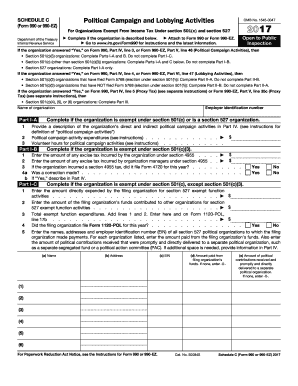
Filling out the IRS 990 or 990-EZ - Schedule C can be a crucial step for organizations engaged in political campaign and lobbying activities. This guide will provide you with clear, step-by-step instructions to help you navigate and complete the form online effectively.
Follow the steps to successfully complete Schedule C.
- Click ‘Get Form’ button to access the document and open it in the editor.
- Begin by entering the name of your organization at the top of the form before proceeding to Parts I-A and I-B, which you will complete based on your organization's tax-exempt status.
- In Part I-A, provide the amount of any excise tax incurred under section 4955 and indicate if corrections were made. This part is for organizations exempt under section 501(c)(3).
- Complete Part I-B if your organization is exempt under section 501(c), except section 501(c)(3). This will include detailing any expenditures made for section 527 exempt function activities.
- Move on to Part I-C to describe the political campaign activities of your organization. Report on expenditures and volunteer hours dedicated to these activities.
- If applicable, complete Part II-A or II-B depending on whether your organization has filed Form 5768 concerning lobbying activities. Detail your expenditures as necessary.
- For section 501(c)(4), (5), or (6) organizations, complete Part III by answering questions regarding dues and lobbying expenditures.
- Lastly, provide any additional descriptions or information required in Part IV for clarity and completeness. This includes supplemental information on affiliated groups, lobbying activities, and political campaign activities.
- Once all sections are complete, save your changes, and utilize the options to download, print, or share the form as needed.
Start filling out your Schedule C online today to ensure compliance with IRS requirements.
Get form
Related links form
Schedule A Form 990 or 990-EZ is used by organizations to provide additional information about their public charity status and the public support they receive. It helps the IRS determine whether an organization qualifies as a public charity under section 501(c)(3). Understanding Schedule A is vital for maintaining compliance and ensuring proper reporting on the IRS 990 or 990-EZ - Schedule C of your organization's activities.