Loading
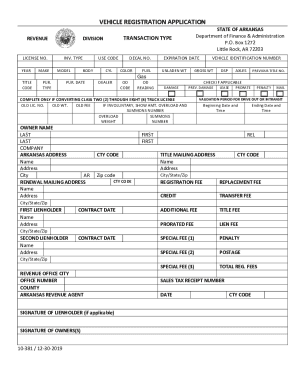
Get Ar 10-381 2019-2026
How it works
-

Open form follow the instructions
-

Easily sign the form with your finger
-

Send filled & signed form or save
How to fill out the AR 10-381 online
The AR 10-381 vehicle registration application is essential for registering your vehicle with the state of Arkansas. This guide provides a step-by-step approach to filling out the form online, ensuring you can navigate the application process with ease.
Follow the steps to complete your vehicle registration application online:
- Press ‘Get Form’ button to obtain the application and open it for completion.
- Start by filling out the year of your vehicle in the designated field.
- Enter the make and model of the vehicle accurately.
- Select the transaction type that applies to your situation from the given options.
- Provide the vehicle identification number (VIN) which is usually located on the driver's side dashboard.
- Indicate the fuel type of your vehicle, such as gas or diesel.
- Fill in the owner's name, including first and last names, as well as the address details.
- Complete the lienholder sections if applicable, entering the names and addresses of first and second lienholders.
- If previous title numbers or damage information apply, ensure these are filled out completely.
- Review all the entered information for accuracy and completeness.
- Once completed, you can save changes, download the application, print it, or share it as needed.
Start filling out your vehicle registration application online today!
Arkansas residents can apply at any state revenue office. Please allow a minimum of three weeks processing time to receive your title. Please allow a minimum of three weeks processing time to receive your title.