Loading
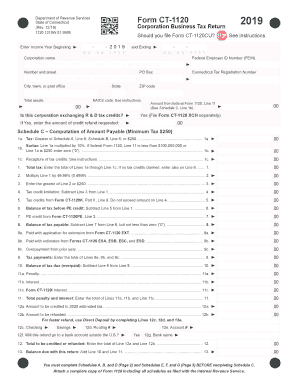
Get Ct Drs Ct-1120 2019
How it works
-

Open form follow the instructions
-

Easily sign the form with your finger
-

Send filled & signed form or save
How to fill out the CT DRS CT-1120 online
This guide provides clear and comprehensive instructions for filling out the CT DRS CT-1120 form online. Whether you are familiar with tax forms or new to the process, this step-by-step approach will help ensure you complete the form accurately and efficiently.
Follow the steps to complete the CT DRS CT-1120 online
- Press the ‘Get Form’ button to access the CT DRS CT-1120 form and open it for editing.
- Begin by entering the income year in the designated fields at the top of the form, making sure the dates correspond to the tax period you are reporting.
- Input the corporation name, Federal Employer ID Number (FEIN), Connecticut Tax Registration Number, and physical address in the appropriate sections.
- Specify if the corporation is exchanging R&D tax credits. If yes, enter the amount of credit refund requested.
- Move on to Schedule C, where you will compute the amount payable, starting with tax calculated based on the minimum tax or tax based on income. Follow the prompts carefully, ensuring that all calculations are accurate.
- Fill out the required details in Schedules A, B, and D, as needed, per the income and tax liabilities specific to your corporation.
- Complete any additional required information in Schedules E, F, and G, addressing all questions and providing requested documentation as necessary.
- Once all sections are completed, review the form for any errors or omissions before saving your changes.
- After verifying your information, you can download, print, or share the completed form as needed.
Complete your CT DRS CT-1120 online now for a smoother filing experience.
Get form
Experience a faster way to fill out and sign forms on the web. Access the most extensive library of templates available.
Get This Form Now!
Use professional pre-built templates to fill in and sign documents online faster. Get access to thousands of forms.