Loading
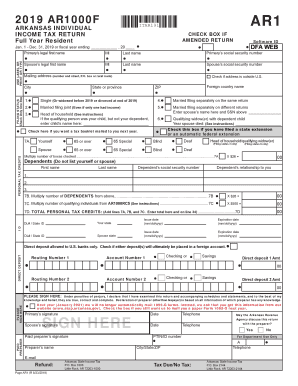
Get Ar Dfa Ar1000f 2019
How it works
-

Open form follow the instructions
-

Easily sign the form with your finger
-

Send filled & signed form or save
How to fill out the AR DFA AR1000F online
This guide provides clear and comprehensive instructions for completing the Arkansas Individual Income Tax Return (AR DFA AR1000F) online. Designed for users of all experience levels, the steps outlined here will help ensure that you accurately and efficiently fill out the necessary information.
Follow the steps to successfully complete your AR DFA AR1000F form.
- Click the ‘Get Form’ button to access the AR DFA AR1000F form and open it in your preferred editor.
- Identify your filing status by checking only one box in the 'Filing Status' section. Options include 'Single', 'Married filing separately', or 'Married filing jointly'.
- Enter the primary taxpayer's legal first and last name, along with the Social Security number (SSN). If applicable, provide the spouse's information as well.
- Fill in your mailing address, including the number and street, city, state, and ZIP code.
- Indicate if you have any dependents by providing their names and relationship to you. Ensure you do not include yourself or your spouse in this section.
- Proceed to fill out the income section by attaching any necessary W-2 or 1099 forms, and accurately entering amounts for the different income types.
- Calculate your total tax credits by adding lines for personal tax credits and entering the total in the designated area.
- If you wish to receive your refund via direct deposit, provide your bank's routing number, account number, and the amount you would like to deposit.
- Review all entered information for accuracy. Ensure that any sections related to previous years' returns are also filled out correctly, if applicable.
- Finally, you can save changes, download, print, or share the completed AR DFA AR1000F form.
Start filling out your AR DFA AR1000F online today to ensure a timely and accurate tax submission.
Get form
Experience a faster way to fill out and sign forms on the web. Access the most extensive library of templates available.
AR2210 is the Arkansas Underpayment of Estimated Tax form. This form is added by TurboTax when it appears that you did not pay at least 90% of your Arkansas tax due and when the tax due is larger than $1,000.
Get This Form Now!
Use professional pre-built templates to fill in and sign documents online faster. Get access to thousands of forms.