Loading
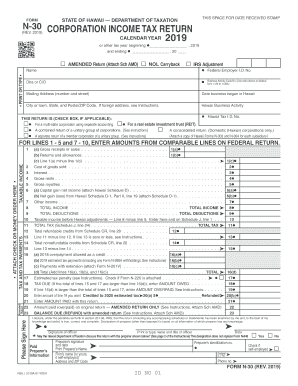
Get Hi Dot N-30 2019
How it works
-

Open form follow the instructions
-

Easily sign the form with your finger
-

Send filled & signed form or save
How to fill out the HI DoT N-30 online
The HI DoT N-30 form is essential for filing your corporation income tax return in Hawaii. This guide offers a clear, step-by-step approach to assist you in completing the form accurately and efficiently.
Follow the steps to fill out the HI DoT N-30 form online with ease.
- Click ‘Get Form’ button to obtain the HI DoT N-30 form and open it in the editor.
- Indicate the tax year at the start of the form by marking the appropriate calendar year or entering the beginning and ending dates of your tax year.
- Fill in your name, mailing address, Hawaii Tax identification number, and Federal Employer I.D. number. Ensure that all details are accurate and typed or printed clearly.
- Select the relevant checkboxes if they apply to your return, such as if it is an amended return or if it's for a multi-state corporation.
- Complete lines 1-10 for income, cost of goods sold, and other relevant financial information. Input amounts from comparable lines on your federal return as instructed.
- Move to the tax and tax payment section, enter amounts for total tax and deductions as necessary, ensuring you follow the calculation methods in the form.
- Review all entries to prevent errors, then proceed to the signature section, ensuring the return is signed and dated by the appropriate officer.
- Finalize by saving any changes, and generate a copy of the form to download or print for your records.
Complete your HI DoT N-30 form online to ensure timely and accurate filing.
Get form
Experience a faster way to fill out and sign forms on the web. Access the most extensive library of templates available.
From the Hawaii Tax Foundation: The Hawaii general excise tax is eligible for the state or local sales tax deduction for federal tax purposes on schedule A of form 1040. Remember that you can deduct only one - your state income taxes paid or your sale tax (in our case general excise tax) paid.
Get This Form Now!
Use professional pre-built templates to fill in and sign documents online faster. Get access to thousands of forms.