Loading
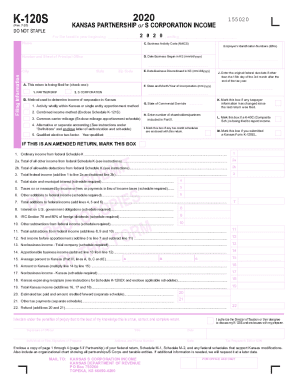
Get Ks Dor K-120s 2020
How it works
-

Open form follow the instructions
-

Easily sign the form with your finger
-

Send filled & signed form or save
How to fill out the KS DoR K-120S online
This guide provides a clear and supportive method for completing the KS DoR K-120S form online. By following these steps, you will ensure accurate submission of your partnership return.
Follow the steps to fill out the KS DoR K-120S form online.
- Press the ‘Get Form’ button to access the K-120S form and open it for editing.
- Fill in the taxpayer information by entering the beginning and ending dates of the tax year, as well as the name and address of the entity, including the Employer Identification Number (EIN).
- Indicate whether the return is for a partnership or S corporation and select the method used to report income to Kansas.
- Complete the income section by entering federal ordinary income and relevant deductions, following the instructions for Lines 1 through 12.
- For the apportionment section, calculate the nonbusiness income and apportionable business income, then fill in the average percentages to Kansas.
- In Part II, provide distribution details for each partner or shareholder, including their names, identification numbers, and their corresponding ownership percentages.
- After completing all sections, review for accuracy and save your changes.
- Finally, download, print, or share the completed form as needed before submission.
Complete your KS DoR K-120S form online to ensure accurate filing and compliance.
Get form
Experience a faster way to fill out and sign forms on the web. Access the most extensive library of templates available.
Get This Form Now!
Use professional pre-built templates to fill in and sign documents online faster. Get access to thousands of forms.