Loading
Get Irs 3800 2020
This website is not affiliated with IRS
How it works
-

Open form follow the instructions
-

Easily sign the form with your finger
-

Send filled & signed form or save
How to fill out the IRS 3800 online
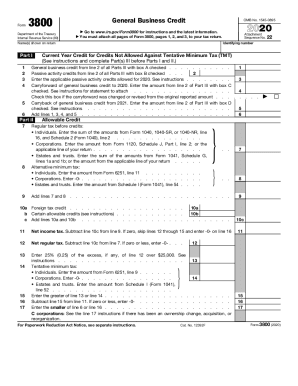
Filling out the IRS Form 3800, also known as the General Business Credit, can seem challenging. However, with clear and detailed guidance, you can easily complete this form online, ensuring that you capture all eligible credits available to you.
Follow the steps to effectively complete the IRS 3800 form online.
- Click ‘Get Form’ button to obtain the form and open it in the editor.
- Review the introduction section of the form, which provides important information regarding credits you may be eligible for. Familiarize yourself with terms like 'general business credit' and 'allowable credits.'
- Complete Part I of the form. This section asks for your current year credit for credits not allowed against tentative minimum tax. Enter the appropriate amounts in the specified fields by referencing prior year credits as instructed.
- Move to Part II, where you will provide details about your allowable credit. Follow the instructions closely, entering balances from various forms such as Form 1040 or its equivalents, making sure to accurately sum each entry.
- In Part III, complete a separate section for each type of credit you are claiming. Make sure to check off the appropriate boxes that indicate the source of your business credit, ensuring to provide the necessary descriptions and amounts.
- Double-check your entries for accuracy before finalizing the form. Review all parts to ensure you did not miss any applicable credits and that numerical entries match the stated requirements.
- Once all sections are completed and verified, you can save your changes, download the form, print it for your records, or share it electronically as needed.
Complete the IRS Form 3800 online today to ensure you claim all eligible business credits.
Get form
Experience a faster way to fill out and sign forms on the web. Access the most extensive library of templates available.
Step 1: Calculate Your Regular Tax Liability. ... Step 2: Calculate Your Alternative Minimum Tax. ... Step 3: Calculate Your Allowable General Business Credit. ... Step 4: Carry Over Individual Business Tax Credits. ... Step 5: Claim Carryforwards and Carrybacks.
Get This Form Now!
Use professional pre-built templates to fill in and sign documents online faster. Get access to thousands of forms.