Loading
Get Irs W-10 2020-2026
This website is not affiliated with IRS
How it works
-

Open form follow the instructions
-

Easily sign the form with your finger
-

Send filled & signed form or save
How to fill out the IRS W-10 online
Filling out the IRS W-10 form correctly is essential for accurate tax reporting related to dependent care expenses. This guide provides clear and comprehensive instructions to help users easily complete the form online.
Follow the steps to complete the IRS W-10 form online.
- Click ‘Get Form’ button to access the W-10 form and open it in your selected editor.
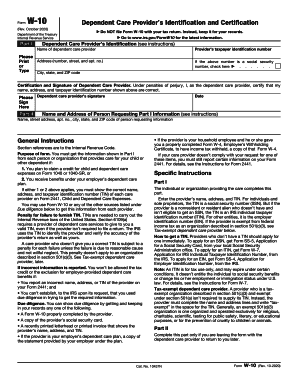
- In Part I, enter the dependent care provider’s taxpayer identification number. If it is a social security number, be sure to check the corresponding box.
- Provide the name of the dependent care provider in the designated field.
- Fill in the address of the provider, including number, street, apartment number, city, state, and ZIP code.
- In the Certification and Signature section, the dependent care provider should sign the form to certify the accuracy of the information provided.
- Record the date of signing in the appropriate field.
- Complete Part II by filling out the name and address of the person requesting the information from Part I. This includes street address, apartment number, city, state, and ZIP code.
- After ensuring all sections are filled accurately, save your changes, download, print, or share the completed form as needed.
Complete your IRS W-10 form online today to ensure you have all necessary documentation for your tax records.
Outside of peak processing times (between January and April), it should take up to six weeks for an applicant to receive their ITIN. However, because most ITIN applications must be filed with tax returns, they are typically filed during peak processing times. As a result, it can take 8 to 10 weeks to receive an ITIN.