Loading
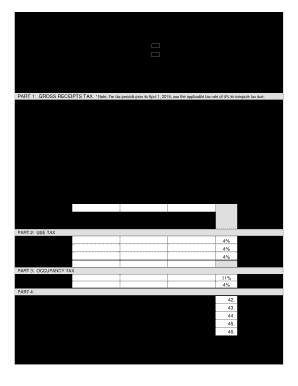
Get Gu Grt-1 2020
How it works
-

Open form follow the instructions
-

Easily sign the form with your finger
-

Send filled & signed form or save
How to fill out the GU GRT-1 online
Filling out the GU GRT-1 form online is an essential step for businesses in Guam to report their gross receipts, use, and occupancy taxes. This guide will walk you through each section of the form to ensure accurate completion and submission.
Follow the steps to successfully complete the GU GRT-1 online.
- Click the ‘Get Form’ button to access the GU GRT-1 online and open it in the editor.
- Enter the name of the licensee in the designated field at the top of the form.
- Specify the month and year ending for which you are reporting. Ensure that the dates are accurate to avoid any discrepancies.
- Provide your Employer Identification Number (EIN) or Social Security Number (SSN) as well as the GRT account number to verify your tax identification.
- Indicate whether you are submitting an original return or an amended return by selecting the appropriate checkbox.
- Fill in the mailing address, email address, and phone number of your business to ensure you can be contacted if needed.
- Detail your business activity or the kind of tax you are reporting in the specified section. Be as clear and descriptive as possible.
- Complete Part 1 by detailing the gross receipts amount in the provided field and subsequent exemptions to determine the taxable amount.
- Calculate the taxes due based on the specified tax rates for each category of business activity, making sure to complete each line item accurately.
- Proceed to Part 2 to report any use tax applicable to your transactions, ensuring that all values are accurate.
- In Part 3, indicate any occupancy tax owed, entering the appropriate totals for hotels, motels, and bed & breakfast establishments.
- Finalize your totals in Part 4 by summing all applicable tax amounts, and ensure that all calculations are correct.
- Complete the declaration section by signing your name, entering the date, and providing the printed name, confirming the accuracy of your return.
- Once all fields are filled, review the information for accuracy, then proceed to save your changes, download, print, or share the completed GU GRT-1 form as needed.
Start filling out the GU GRT-1 form online today to ensure you meet your tax obligations accurately and on time.
Get form
Experience a faster way to fill out and sign forms on the web. Access the most extensive library of templates available.
Get This Form Now!
Use professional pre-built templates to fill in and sign documents online faster. Get access to thousands of forms.