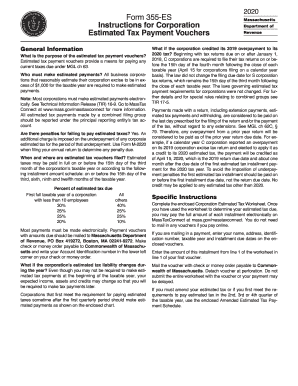
Lding, are considered to be paid on the last day prescribed for the filing of the return and/or the payment of the tax, without regard to any extensions. See MGL ch 62C, 79. Therefore, any overpayment from a prior year return will be considered to be paid as of the prior year return due date. For example, if a calendar year C corporation reported an overpayment on its 2019 corporation excise tax return and elected to apply it as a credit to its 2020 estimated tax, the payment will be credited.
Open form follow the instructions
Easily sign the form with your finger
Send filled & signed form or save
How to fill out the MA 355-ES online
Filling out the MA 355-ES online can seem daunting, but with this guide, you will have a clear overview of each section of the form. By following the steps outlined below, you will efficiently complete the estimated tax payment vouchers required for your corporation.
Follow the steps to fill out the MA 355-ES easily and accurately.
- Click ‘Get Form’ button to obtain the form and open it in the online editor.
- Begin with your business name, ensuring it matches the name registered with the Massachusetts Department of Revenue.
- Enter your Federal ID or Account ID number accurately to avoid payment issues.
- Provide the tax filing period that corresponds to the estimated tax you are calculating.
- Input your business address, including city, state, and zip code.
- Fill in the due date for the current tax payment, as specified by the tax schedule.
- Indicate the specific tax type and voucher type to ensure proper processing.
- Calculate the amount due with this installment based on the previous calculations you completed using the Corporation Estimated Tax Worksheet.
- Review all entered information for accuracy and completeness before finalizing your form.
- Once you have filled in all required information, you can save changes, download, or print the form as necessary.
- If mailing your payment, detach the voucher at the perforation and send it with your check or money order to the specified address.
Complete your MA 355-ES estimated tax payment vouchers online today for a faster and more efficient submission process.
Experience a faster way to fill out and sign forms on the web. Access the most extensive library of templates available.
Related content
Jump to estimated tax payment printable vouchers - Form 1-ES, 2019 Estimated Income Tax...
SIMS Data Handbook v.20.1 November 05, 2019 ... Each school in Massachusetts has a...
12 October 2019; powerexchange for kafka; informatica intelligent streaming - kafka; vibe...
Get answers to your most pressing questions about US Legal Forms API.
When can I file my Massachusetts tax return?
(Boston, MA) The Massachusetts Department of Revenue (DOR) announced today that the state tax filing season opens on Monday, January 23, and the deadline to file is Tuesday, April 18, 2017.
When can I file my Massachusetts tax return 2019?
Massachusetts State Income Tax Return forms for Tax Year 2018 (Jan. 1 - Dec. 31, 2018) can be e-Filed in conjunction with an IRS Income Tax Return until October 15, 2019. In January 2020, you can e-File Tax Year 2019.
How can I pay tax online?
Step-1. To pay taxes online, login to http://www.tin-nsdl.com > Services > e-payment : Pay Taxes Online or click here on the tab "e-pay taxes" provided on the said website. ... Step-2. Select the relevant challan i.e. ... Step-3. ... Step-4. ... Step-5. ... Step-6. ... Step-7.
Can I pay my Massachusetts taxes with a credit card?
All payments made through the standard service provider will get a real-time confirmation email. ... If you're making a credit card payment regarding a bank or wage levy, you must contact us at (617) 887-6367, or toll-free in Massachusetts at (800) 392-6089.
Can I pay my Massachusetts estimated taxes online?
Estimated tax payments online with MassTaxConnect Individuals and businesses can make estimated tax payments electronically through MassTaxConnect (MTC). It's fast, easy, and secure. In addition, extension, return, and bill payments can also be made.
How do I file 1099 INT?
To whom you paid amounts reportable in boxes 1, 3, and 8 of at least $10 (or at least $600 of interest paid in the course of your trade or business described in the instructions for Box 1. ... For whom you withheld and paid any foreign tax on interest; or.
How do I get my 1099 G Online Massachusetts?
Log in to your UI Online account. Click on View and request 1099-G on the left navigation bar. Click on the down arrow to select the right year. You can view 1099-G forms for the past 6 years. Click on View 1099-G and print the page.
Do I need to file 1099 Misc Massachusetts?
Does Massachusetts require state 1099 tax filing? Yes, Massachusetts requires you to file 1099s to the Department of Revenue.
Where do I send my Massachusetts tax return?
Form 1 or a Form 1-NR/PY: Refund: Mass. DOR, PO Box 7000, Boston, MA 02204. Payment: Mass. DOR, PO Box 7003, Boston, MA 02204.
Where do I send my 1099 in Massachusetts?
When filing state copies of forms 1099 with Massachusetts department of revenue, the agency contact information is: Massachusetts Department of Revenue, PO Box 7045, Boston, MA, 02204.
Use professional pre-built templates to fill in and sign documents online faster. Get access to thousands of forms.
If you believe that this page should be taken down, please follow our DMCA take down process here.
This form is available in several versions. Select the version you need from the drop-down list below.