Loading
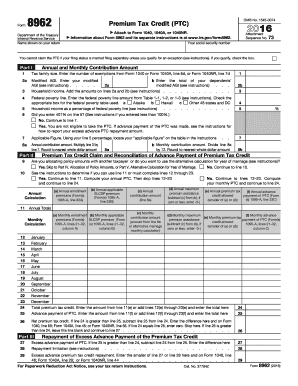
Get Irs 8962 2016
This website is not affiliated with IRS
How it works
-

Open form follow the instructions
-

Easily sign the form with your finger
-

Send filled & signed form or save
How to fill out the IRS 8962 online
Filing your taxes can be a complex process, especially when dealing with premium tax credits. The IRS Form 8962 is essential for claiming the Premium Tax Credit, and understanding how to complete it online can simplify this task.
Follow the steps to successfully complete and submit IRS Form 8962 online.
- Click the ‘Get Form’ button to access the IRS Form 8962 and open it in your document editor.
- Begin with Part I. Enter your tax family size in line 1, using the number of exemptions from your tax return.
- In line 2a, provide your modified adjusted gross income (AGI) as instructed.
- For line 2b, enter the total modified AGI for your dependents.
- Add the amounts you entered in lines 2a and 2b to determine your household income in line 3.
- In line 4, input the federal poverty line amount based on your location using the correct table.
- Calculate the percentage of your household income related to the federal poverty line in line 5.
- If line 5 shows 401% or higher, you are not eligible for the Premium Tax Credit. Otherwise, proceed to line 7 to find your applicable figure.
- Multiply the amount from line 3 by the applicable figure in line 7 for your annual contribution in line 8a.
- For line 8b, divide your annual contribution from line 8a by 12 to find your monthly contribution.
- Proceed to Part II. If applicable, indicate if you are allocating policy amounts with another taxpayer.
- Complete lines 10 through 23 as directed, which require you to input annual enrollment premiums and other relevant calculations.
- Add up all monthly calculations from lines 12-23 to determine your total premium tax credit in line 24.
- Calculate any excess advance payments in Part III and fill out lines 27 through 29 accordingly.
- If you have completed allocations for shared policies in Part IV, fill those out, or skip to the next step if not applicable.
- If you are eligible, complete the alternative calculation for a year of marriage in Part V.
- Once you have filled out all necessary sections, review the form for accuracy, then save changes, download, or print the form for submission.
Begin filling out your IRS Form 8962 online today to qualify for your Premium Tax Credit.
Get form
Experience a faster way to fill out and sign forms on the web. Access the most extensive library of templates available.
Form 8962 is the IRS form used for calculating and reconciling the premium tax credit. This form is essential for anyone who received advance payment of the premium tax credit through the Health Insurance Marketplace. Completing the IRS 8962 allows you to ensure that you received the correct amount and helps avoid any discrepancies during tax filing.
Get This Form Now!
Use professional pre-built templates to fill in and sign documents online faster. Get access to thousands of forms.