Get Ny Dtf It-2105.9 2019
How it works
-

Open form follow the instructions
-

Easily sign the form with your finger
-

Send filled & signed form or save
How to fill out the NY DTF IT-2105.9 online
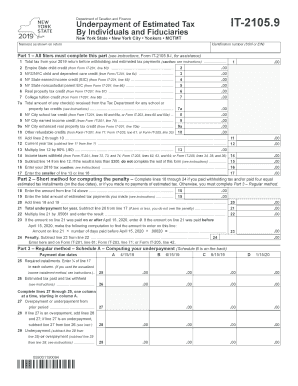
Filling out the NY DTF IT-2105.9 form is an essential step for individuals and fiduciaries to declare the underpayment of estimated tax. This guide provides a detailed, step-by-step approach to completing the form online, ensuring that users, regardless of their legal experience, can navigate the process with confidence.
Follow the steps to complete the NY DTF IT-2105.9 online efficiently.
- Press the ‘Get Form’ button to access the NY DTF IT-2105.9 form and open it in your preferred platform.
- In the first section, enter your name(s) as shown on your tax return and your identification number (social security number or employer identification number). Make sure to double-check the information for accuracy.
- Proceed to Part 1, where all filers must provide the total tax amount from your 2019 return before any withholding or estimated tax payments. Carefully follow the instructions provided to ensure you complete all necessary fields.
- Fill in any applicable credits from Form IT-201, including the Empire State child credit, NYS/NYC child and dependent care credit, and others. Each line corresponds to a specific credit; refer to your previous tax documents for accurate figures.
- After entering all relevant credits, add the amounts from lines 2 through 10. This will let you find the total credits to apply against your tax.
- Calculate your current year tax by subtracting the total credits from your total tax from line 1. This will give you a clearer picture of your tax obligation.
- In the following lines, determine if your income taxes withheld or estimated tax payments meet a threshold, and calculate any underpayment if applicable.
- If you used the short method to compute your penalty, complete lines 18 through 24, ensuring you input accurate figures for any payments made.
- Follow through Part 3 for a more detailed computation using the regular method, where you can fill out the payment due dates and determine overpayment or underpayment accordingly.
- Once all sections are filled, review your entries for completeness and accuracy before saving or downloading the finalized form. Options to print or share the document may also be available.
Start filling out your NY DTF IT-2105.9 form online today to ensure prompt and accurate tax reporting.
Get form
Related links form
To file NY DTF IT-2105.9, start by accurately completing all required sections of the form, ensuring that your estimated payments match your tax liability. Once filled, you can submit the form through the New York State Department of Taxation and Finance's online services or by mailing it to the appropriate address provided in the instructions. Prompt submission can help you avoid potential penalties.