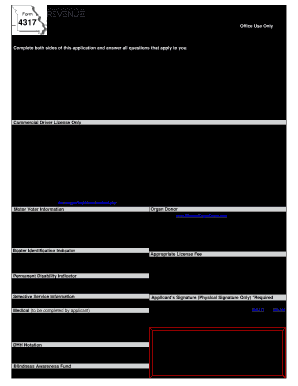
Get Mo Dor 4317 2019
How it works
-

Open form follow the instructions
-

Easily sign the form with your finger
-

Send filled & signed form or save
How to fill out the MO DoR 4317 online
Filling out the MO DoR 4317 form online is a straightforward process that allows users to renew or obtain a duplicate Missouri driver license. This guide will provide step-by-step instructions for each section of the form.
Follow the steps to complete your application online:
- Press the ‘Get Form’ button to access the online application and ensure it opens in your browser.
- Begin by entering your last name, first name, and middle name in the respective fields. Make sure to fill in your suffix if applicable.
- Indicate your gender by selecting either 'Male' or 'Female'.
- Enter your Missouri driver license number if you have one.
- Complete your Missouri street address (no PO Boxes) in the provided field, along with your city, state, ZIP code, and county.
- If you are currently residing out-of-state or out of the country, provide your mailing address in the next fields.
- Indicate your expected return date to Missouri.
- List your telephone number, date of birth, height, weight, and eye color in the respective fields.
- Specify your status as either Military or Military Dependent by selecting the appropriate option.
- Choose the type of license you currently have from the available options: Class A, B, C, E, F, or M.
- Confirm your understanding that any other driver license in your name is invalid with this application by selecting 'Yes' or 'No' as applicable.
- If applying for a commercial driver license, select your commercial operating status from the provided categories and ensure you submit any required medical documentation if necessary.
- If you have held a license in any other state in the last 10 years, select 'Yes' and provide the necessary details in the space provided.
- Answer the questions regarding voter registration and organ donation in the subsequent sections, checking 'Yes' or 'No' as per your preferences.
- Complete the payment section by selecting your payment method and providing the necessary financial details if applicable.
- Before finalizing, ensure all required fields are filled and review your entries for accuracy.
- Once satisfied, save your changes, and proceed to download, print, or share your completed application.
Complete your application for the Missouri driver license online today!
Get form
Related links form
When filling out a check for the US Department of State, you should start by noting the amount in numbers and writing it out in words beneath. Make the check payable to 'U.S. Department of State' and include the specific purpose, like passport fees, in the memo section. Ensure to date the check and sign it at the bottom. If you're unfamiliar with the process and need assistance, platforms such as US Legal Forms provide templates and further instructions to streamline the process.