Loading
Get Irs 8949 2019
This website is not affiliated with IRS
How it works
-

Open form follow the instructions
-

Easily sign the form with your finger
-

Send filled & signed form or save
How to fill out the IRS 8949 online
Filling out the IRS 8949 can seem complex, but understanding its components will make the process smoother. This guide provides step-by-step instructions to assist users in accurately completing the form online, ensuring compliance and ease during tax season.
Follow the steps to accurately complete the IRS 8949 online
- Click the ‘Get Form’ button to obtain the form and open it in your editor.
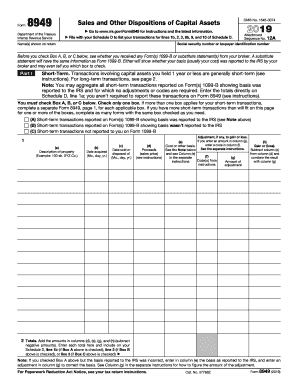
- Identify the section you need to complete based on your transaction type; check either Box A, B, or C for short-term transactions or Box D, E, or F for long-term transactions.
- In Part I or Part II, begin entering your transaction details in the appropriate columns. For each transaction, provide a description of the property, acquisition date, sale date, proceeds, cost, and any adjustments.
- Ensure that you total the amounts for each category in columns (d), (e), (g), and (h) at the bottom of the respective section.
- Once completed, review your entries for accuracy. Make sure to save your changes.
- You can download, print, or share the completed form as needed.
Start filling out your IRS 8949 online today for a smoother tax filing experience!
Get form
Experience a faster way to fill out and sign forms on the web. Access the most extensive library of templates available.
Yes, if you use TurboTax, you need to enter the information from form 8949 to ensure accurate filing. The software will guide you through the input process, making it easier to report your capital gains and losses. Properly entering this information will help you avoid errors and maximize your potential refunds. Us Legal Forms can provide support if you need guidance on TurboTax integration.
Get This Form Now!
Use professional pre-built templates to fill in and sign documents online faster. Get access to thousands of forms.