Loading
Form preview
  • US Legal Forms
  • Other Templates
  • Tax Forms
  • Executive Department Treasury IRS Forms
  • Irs Instruction 1098-c 2019

Get Irs Instruction 1098-c 2019-2026

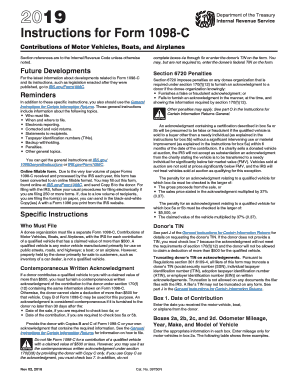
The contribution. If a charity sells a donated vehicle at auction, the IRS will not accept as substantiation an acknowledgment from the charity stating the vehicle is to be transferred to a needy individual for significantly below fair market value (FMV). Vehicles sold at auction are not sold at prices significantly below FMV, and the IRS will not treat vehicles sold at auction as qualifying for this exception. The penalty for an acknowledgment relating to a qualified vehicle for which box 4a m.

This website is not affiliated with IRS

How it works

  1. Open form

    Open form follow the instructions

  2. Easily sign form

    Easily sign the form with your finger

  3. Share form

    Send filled & signed form or save

How to fill out the IRS Instruction 1098-C online

This guide provides clear, step-by-step instructions on how to effectively fill out the IRS Instruction 1098-C online. Whether you are a seasoned professional or someone new to tax documentation, this guide aims to simplify the process for you.

Follow the steps to fill out the IRS Instruction 1098-C online.

  1. Click ‘Get Form’ button to acquire the 1098-C form and open it for editing.
  2. Enter the date of contribution in Box 1. This is the date you received the motor vehicle, boat, or airplane from the donor.
  3. Fill in Boxes 2a through 2d. For Box 2a, enter the odometer mileage (only for motor vehicles); in Boxes 2b, 2c, and 2d, provide the year, make, and model of the vehicle, respectively.
  4. In Box 3, provide the vehicle or other identification number (VIN), hull identification number, or aircraft identification number based on the type of vehicle.
  5. If applicable, complete Box 4a, certifying that the vehicle was sold in an arm's length transaction to an unrelated party, and fill out Boxes 4b and 4c with the sale date and gross proceeds, respectively.
  6. If the vehicle will be transferred to a needy individual for below fair market value, check Box 5b, and if intending to make improvements to the vehicle, check Box 5a and describe them in Box 5c.
  7. Check Box 6a to indicate whether goods or services were provided in exchange for the vehicle, and fill in Box 6b and Box 6c with the estimated value and description, respectively, if applicable.
  8. If the vehicle has a claimed value of $500 or less or if the donor did not provide a TIN, check Box 7. Remember not to file Copy A with the IRS or give Copy B to the donor in this case.
  9. Once all relevant fields are completed, save your changes, download, print, or share the form as needed.

Complete your tax documentation efficiently by following these steps to fill out the IRS Instruction 1098-C online.

Get form

Experience a faster way to fill out and sign forms on the web. Access the most extensive library of templates available.
Get form

Related content

Instructions for Form 1098-C (Rev. November 2019)
Who must file. • When and where to file. • Electronic reporting. • Corrected and...
Learn more
2017 Instructions for Form 1098-C
Nov 18, 2016 — Do not file Form 1098-C for a contribution of a qualified vehicle with a...
Learn more
2014 Instructions for Form 1040NR
Apr 15, 2015 — organization may use Form 1098-C to provide the required information. If...
Learn more

Related links form

SaskPower Tailboard Form Screen Actors Guild Performers Production Time Report Shutterstock Model Release for Minor 2010 Sigma Chi Fraternity Form 51

Questions & Answers

Get answers to your most pressing questions about US Legal Forms API.

Contact support

Yes, you need to attach 1098-C to your tax return if you are claiming deductions for charitable contributions. Ensure you include this form to support your claims. Adhering to IRS Instruction 1098-C will give clarity on which forms need to accompany your tax return for successful filing.

To enter your 1098-C on TurboTax, navigate to the charitable donations section. This is where you input details about contributions and the deduction from your tax return. Following IRS Instruction 1098-C will help you ensure that all information related to your contributions is accurately accounted for.

You should enter Schedule C in the business income section of TurboTax. This area allows you to report self-employment income and expenses, which may be relevant for your situation. Reference IRS Instruction 1098-C when considering deductions that relate to your business activities.

To report 1098-C on your taxes, collect all relevant documentation and complete the sections dedicated to charitable donations. Follow IRS Instruction 1098-C for specific guidelines on reporting the donation of cars or other property. Ensure that you keep accurate records to support your claims.

You can enter form 1098-C on your tax return in the section designated for reporting charitable contributions. It is essential to align your entries with IRS Instruction 1098-C to accurately claim your contributions. Make sure to include any necessary details regarding the property or items contributed.

To report a 1099 C on TurboTax, go to the income section and find where to enter cancellation of debt income. Follow the prompts to enter the information from your 1099 C. It's important to cross-reference with IRS Instruction 1098-C to confirm how cancellation of debt impacts your tax situation.

In TurboTax, you should enter your 1098 form details in the section for reporting mortgage interest. Look for the form input area labeled as '1098 Mortgage Interest' when prompted. This input reflects the information specified in IRS Instruction 1098-C, ensuring you report your mortgage interest accurately on your tax return.

You can receive your 1098-C from the organization to which you made a charitable contribution. They are required to send it out after you make your donation, usually by January 31. If you haven’t received it yet, contact the charity directly, or consult tools like US Legal Forms for assistance in managing the paperwork effectively.

The IRS does not automatically mail tax booklets to all taxpayers, but they do send them to some individuals if you have filed your tax return in the past. Checking your mailing address with the IRS can clarify whether you will receive any physical booklets. Meanwhile, accessing the IRS Instruction 1098-C online provides instant guidance.

Yes, Staples typically stocks a selection of IRS forms, especially during tax season. However, availability may vary based on local demand and supply. To ensure you find the IRS Instruction 1098-C and other forms, it’s often easier to check the IRS website or opt for online platforms such as US Legal Forms.

Get This Form Now!

Use professional pre-built templates to fill in and sign documents online faster. Get access to thousands of forms.
Get form
If you believe that this page should be taken down, please follow our DMCA take down processhere.
Get IRS Instruction 1098-C
Get form
  • Adoption
  • Bankruptcy
  • Contractors
  • Divorce
  • Home Sales
  • Employment
  • Identity Theft
  • Incorporation
  • Landlord Tenant
  • Living Trust
  • Name Change
  • Personal Planning
  • Small Business
  • Wills & Estates
  • Packages A-Z
  • Affidavits
  • Bankruptcy
  • Bill of Sale
  • Corporate - LLC
  • Divorce
  • Employment
  • Identity Theft
  • Internet Technology
  • Landlord Tenant
  • Living Wills
  • Name Change
  • Power of Attorney
  • Real Estate
  • Small Estates
  • Wills
  • All Forms
  • Forms A-Z
  • Other Templates
  • Legal Hub
  • About Us
  • Help Portal
  • Legal Resources
  • Blog
  • Affiliates
  • Contact Us
  • Delete My Account
  • Site Map
  • Industries
  • Forms in Spanish
  • Localized Forms
  • State-specific Forms
  • Forms Kit
  • Real Estate Handbook
  • All Guides
  • Notarize
  • Incorporation services
  • For Consumers
  • For Small Business
  • For Attorneys
  • USLegal
  • FormsPass
  • pdfFiller
  • signNow
  • altaFlow
  • DocHub
  • Instapage
Form Packages
  • Adoption
  • Bankruptcy
  • Contractors
  • Divorce
  • Home Sales
  • Employment
  • Identity Theft
  • Incorporation
  • Landlord Tenant
  • Living Trust
  • Name Change
  • Personal Planning
  • Small Business
  • Wills & Estates
  • Packages A-Z
Form Categories
  • Affidavits
  • Bankruptcy
  • Bill of Sale
  • Corporate - LLC
  • Divorce
  • Employment
  • Identity Theft
  • Internet Technology
  • Landlord Tenant
  • Living Wills
  • Name Change
  • Power of Attorney
  • Real Estate
  • Small Estates
  • Wills
  • All Forms
  • Forms A-Z
  • Other Templates
Customer Service
  • Legal Hub
  • About Us
  • Help Portal
  • Legal Resources
  • Blog
  • Affiliates
  • Contact Us
  • Delete My Account
  • Site Map
  • Industries
  • Forms in Spanish
  • Localized Forms
  • State-specific Forms
  • Forms Kit
Legal Guides
  • Real Estate Handbook
  • All Guides
Prepared for you
  • Notarize
  • Incorporation services
Our Customers
  • For Consumers
  • For Small Business
  • For Attorneys
Our Sites
  • USLegal
  • FormsPass
  • pdfFiller
  • signNow
  • altaFlow
  • DocHub
  • Instapage
Social Media
Call us now toll free:
+1 833 426 79 33
As seen in:
© Copyright 1999-2026 airSlate Legal Forms, Inc. 17 Station Street, Ste. 203, Brookline, MA 02445
  • Your Privacy Choices
  • Terms of Service
  • Privacy Notice
  • Content Takedown Policy
  • Bug Bounty Program