Loading
Get Irs 1040-es 2015
This website is not affiliated with IRS
How it works
-

Open form follow the instructions
-

Easily sign the form with your finger
-

Send filled & signed form or save
How to fill out the IRS 1040-ES online
Filing your estimated taxes can seem challenging, but with the right guidance, it can be a straightforward process. This guide will help you complete the IRS 1040-ES form online, ensuring that you calculate and pay your estimated tax accurately.
Follow the steps to fill out the IRS 1040-ES form online.
- Use the 'Get Form' button to obtain the IRS 1040-ES form and open it in your online editor.
- Review the purpose of Form 1040-ES, which enables you to figure and pay your estimated tax on income not subject to withholding, such as self-employment earnings, interest, and dividends.
- Determine if you need to make estimated tax payments based on your expected tax liability for the year. You typically must pay this if you expect to owe at least $1,000 after subtracting your withholding and refundable credits.
- Fill out your personal information at the top of the form, including your name, address, and Social Security number. If filing jointly, include your partner's details.
- Calculate your adjusted gross income for the year, using your previous year's tax return as a guide. Input any adjustments or exemptions applicable.
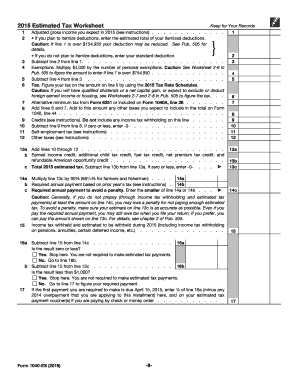
- Use the 2015 Estimated Tax Worksheet to compute your total estimated tax amount owed. Be sure to consider the special rules for farmers, fishermen, and higher-income individuals, if applicable.
- Review the payment due dates for your estimated tax payments: typically April 15, June 15, September 15, and January 15 of the following year.
- If you are sending a payment by check or money order, ensure to complete the payment voucher correctly. Mail it with your payment to the appropriate IRS address based on your residence.
- Save your completed form and voucher, and ensure that all information is accurate to avoid any penalties or issues with your estimated tax payments.
- Finally, submit your estimated tax payment electronically or via mail as applicable. You can also keep a digital copy of your confirmed submissions for your records.
We encourage you to complete your documents online to ensure accuracy and efficiency!
Get form
Experience a faster way to fill out and sign forms on the web. Access the most extensive library of templates available.
Related links form
Yes, self-employed individuals can receive a tax refund if they overpay on their estimated taxes. When you file your taxes using the IRS 1040-ES, any excess payments may lead to a refund. Keeping accurate records and estimating your payments correctly will help optimize your refund potential.
Get This Form Now!
Use professional pre-built templates to fill in and sign documents online faster. Get access to thousands of forms.