Loading
Get Vt Wht-436 2017
How it works
-

Open form follow the instructions
-

Easily sign the form with your finger
-

Send filled & signed form or save
How to fill out the VT WHT-436 online
The VT WHT-436 form is essential for employers to report their quarterly withholding and health care contributions. This guide provides a clear and supportive process to complete the form accurately and efficiently online.
Follow the steps to complete the VT WHT-436 online.
- Press the ‘Get Form’ button to access the VT WHT-436 form in an online editor.
- Enter your business name and Federal ID number in the appropriate fields at the top of the form.
- Fill in your business address, Vermont Account ID, city, state, and ZIP code. Include any foreign country details if applicable.
- Select the reporting period by checking only one box corresponding to the quarter you are filing for.
- Complete the employee count sections, entering the number of full-time and part-time employees as of the last day of the quarter.
- If applicable, indicate if this is an amended return by checking the corresponding box.
- In Part I: Wage Withholding, report the total Vermont wages paid and total Vermont tax withheld from wages for the quarter.
- In Part II: Nonwage Withholding, record the total nonwage payments subject to withholding and the total Vermont tax withheld from these payments.
- Add the total Vermont tax withheld from wages and nonwage payments to determine the total for Part III.
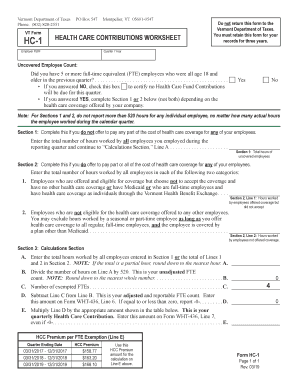
- For Part III: Health Care Contributions, check the box to certify if no healthcare contributions are due. Otherwise, enter the adjusted uncovered FTE from the worksheet and the total health care contributions due.
- In Part IV, calculate the total due by adding Lines 5 and 7.
- In Part V, certify the return by signing and entering your title, telephone number, and date.
- Save your changes, download or print the form as needed, and remember to retain it for your records.
Complete your VT WHT-436 form online today to ensure compliance and accurate reporting.
Get form
Experience a faster way to fill out and sign forms on the web. Access the most extensive library of templates available.
You can contact Vermont state taxes by visiting their official website for contact information, including phone numbers and email addresses. Engaging with them directly ensures you receive accurate and timely responses to any tax-related queries. If you have specific questions about the VT WHT-436 form, make sure to highlight that during your conversation.
Get This Form Now!
Use professional pre-built templates to fill in and sign documents online faster. Get access to thousands of forms.