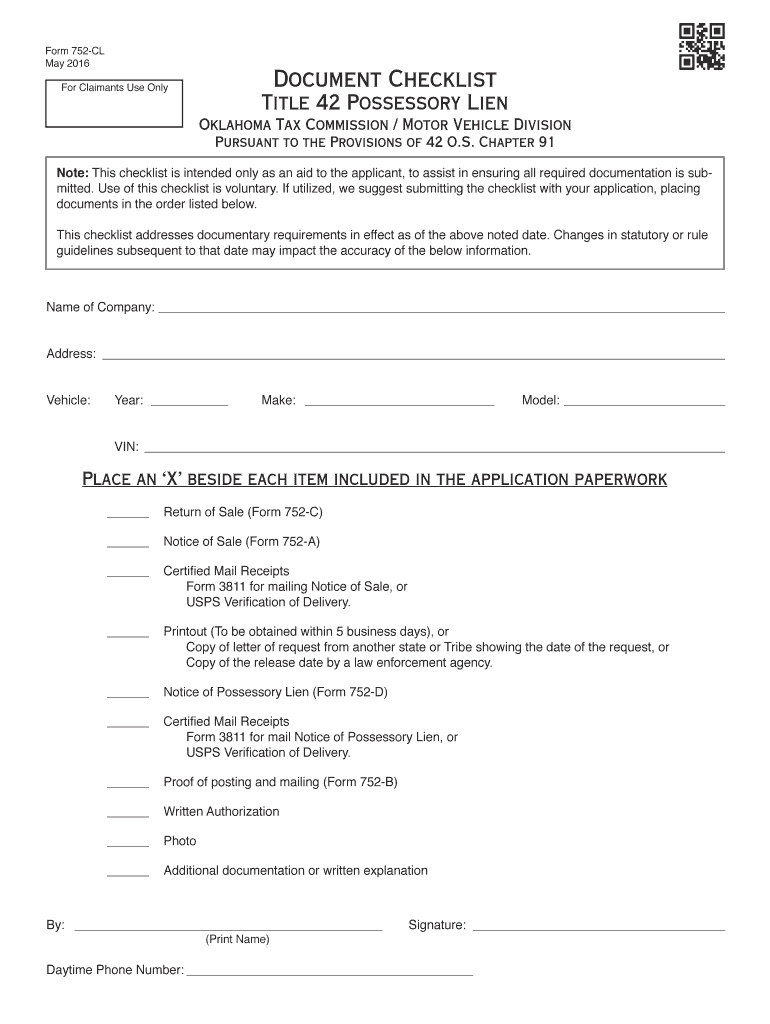
Es, ATV s, Utility Vehicles, Manufactured Homes, Commercial Trailers, Boats and Outboard Motors Form 752-A Notice of Sale Form 752-B Proof of Posting and Mailing Form 752-C Return of Sale (Assignment of Ownership) Form 752-D Notice of Possessory Lien Form 752-E Affidavit of Publication Effective date 11/01/2017 Oklahoma Tax Commission Motor Vehicle Division Packet 752 Revised 10-2017 OKLAHOMA TAX COMMISSION MOTOR VEHICLE DIVISION OUTLINE OF.
Loading

Open form follow the instructions

Easily sign the form with your finger

Send filled & signed form or save
How to fill out the OK OTC Tax Packet 752 online
Filling out the OK OTC Tax Packet 752 is essential for filing possessory liens on vehicles, manufactured homes, and other personal property in Oklahoma. This guide will provide a detailed, step-by-step process to help users complete the form accurately and efficiently.
Follow the steps to complete the OK OTC Tax Packet 752 online.
- Click ‘Get Form’ button to obtain the packet and open it in your editor.
- Review the introduction and instructions carefully to understand the specific requirements associated with liens—for vehicles, manufactured homes, etc.
- Complete Form 752-D 'Notice of Possessory Lien.' Ensure to include all required details including the claimant's information, property description, and an itemized statement of charges.
- Fill out Form 752-A 'Notice of Sale.' Include comprehensive details about the property being sold, the sale date, and location, as well as provide proof of authority and charges claimed.
- Complete Form 752-B 'Proof of Posting and Mailing.' This form verifies that notices were posted in required locations and sent to all interested parties.
- When the sale is completed, fill out Form 752-C 'Return of Sale' to document the sale details.
- After ensuring all forms are filled correctly, save your changes, and share or download your completed packet.
Start filling out your OK OTC Tax Packet 752 online today to ensure compliance and timely processing.
Experience a faster way to fill out and sign forms on the web. Access the most extensive library of templates available.
Related content
The following is an outline of statutory and procedural requirements relating to the...
All tax dollars shown in this report are estimates calculated utilizing the 2018 assessed...
This packet contains: • Instructions for completing the. Form 511: Oklahoma resident...
Get answers to your most pressing questions about US Legal Forms API.
How hard is it to get a lost title in Oklahoma?
Getting a lost title in Oklahoma can be straightforward if you follow the correct procedures. You will need to complete an application for a duplicate title and provide sufficient identification and vehicle information. The process generally takes about 10 to 15 business days for title issuance. For more efficient navigation through this process, consider using the OK OTC Tax Packet 752 as a guide.
How long does it take for a title to come in in Oklahoma?
Typically, you can expect your title to arrive in about 10 to 15 business days after your application has been approved by the Oklahoma Tax Commission. However, the actual delivery time may vary based on the mail service in your area. If you're waiting on a title, tracking your request through their online system can provide updates. Check the OK OTC Tax Packet 752 for any insights that might expedite your wait.
What's a title 42 in Oklahoma?
A Title 42 in Oklahoma is a special type of title that is often issued for vehicles in specific conditions, such as leased or financed vehicles. It denotes that the title is held by the lienholder until the financial obligation is fulfilled. Understanding the nuances of Title 42 can help you manage your vehicle's ownership more effectively. The OK OTC Tax Packet 752 provides additional context and helps clarify what you need for your specific situation.
How to get a court order title in Oklahoma?
To obtain a court order title in Oklahoma, you first need to file a petition with the appropriate court. This petition often requires detailed information about the vehicle and any existing titles. After you receive the court's decision, you can then present the order to your local tag agency to finalize the title issuance. Incorporating the OK OTC Tax Packet 752 into your preparation can simplify legal requirements.
How to amend an Oklahoma tax return?
To amend an Oklahoma tax return, you will need to fill out the appropriate forms that are designated for amendments. Make sure to provide the needed information and explanations for each change you want to make. It's crucial to keep records of your original filing alongside the amended return. Using the OK OTC Tax Packet 752 can streamline this process and help avoid common errors.
How long does it take to get a title 42 in Oklahoma?
The process to receive a Title 42 in Oklahoma usually takes around 10 to 15 business days once your application is submitted to the Oklahoma Tax Commission. You may expedite the process by ensuring all required documents are complete and submitted correctly. If you have questions regarding the paperwork, the OK OTC Tax Packet 752 can provide useful insights. Ensuring proper documentation can save you valuable time.
How long does it take to get an Oklahoma real ID?
Obtaining an Oklahoma real ID typically takes about 14 days after your application is processed. Once you gather the necessary documents, you can apply at your local tag agency. Your ID will be mailed to you directly, which can add a few extra days to the timeline. If you have any specific questions about your application, consider using the OK OTC Tax Packet 752 for clarity and guidance.
Do I have to file an Oklahoma tax return?
Filing an Oklahoma tax return typically depends on your income and specific personal circumstances. If your income meets or exceeds the filing thresholds, or if you have other tax obligations, you will need to file. The OK OTC Tax Packet 752 provides vital information and guidance that simplifies the filing process, helping you comply with state tax laws easily.
How long does a contractor have to file a lien in Oklahoma?
In Oklahoma, a contractor has a specific time frame within which to file a lien after completing work. Generally, the contractor must file a lien within 120 days of the last day of work performed. To assist with this process, using the OK OTC Tax Packet 752 can help you understand your rights and deadlines, ensuring you are well-informed throughout the lien filing process.
How much do you have to make in Oklahoma to have to file taxes?
In Oklahoma, you must file taxes if your income exceeds certain thresholds. For instance, if you are single and earn more than $12,200, or if you are married and earn over $24,400, you need to file an Oklahoma tax return. Utilizing the OK OTC Tax Packet 752 helps you navigate these requirements effectively, ensuring that you meet your obligations without confusion.
Use professional pre-built templates to fill in and sign documents online faster. Get access to thousands of forms.
If you believe that this page should be taken down, please follow our DMCA take down process here.
This form is available in several versions. Select the version you need from the drop-down list below.