Loading
Get Ak Dr-10 2015-2026
How it works
-

Open form follow the instructions
-

Easily sign the form with your finger
-

Send filled & signed form or save
How to fill out the AK DR-10 online
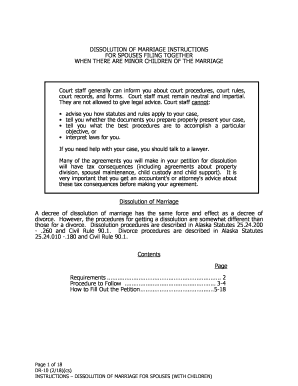
This guide provides step-by-step instructions for filling out the AK DR-10 form for the dissolution of marriage with minor children. It aims to ensure clarity and support for users of all backgrounds in completing their online petition accurately.
Follow the steps to effectively complete the AK DR-10 form.
- Click the ‘Get Form’ button to access the AK DR-10 form and open it in the online editor.
- At the top of the form, enter the city where the superior court is located, along with your names in the designated fields. Leave the 'Case No.' line blank.
- In Section I, fill in all lines regarding the information about petitioners. If your mailing address changes after filing the petition and before the decree is entered, send written notice of your new address to the court.
- Proceed to Section II for Financial Information. Complete Parts A-D, ensuring to attach recent tax returns and pay stubs to verify income. Provide income details thoroughly, referencing the Child Support Guidelines for accuracy.
- In Section III, provide detailed information about property and debt. For assets, identify whether they were acquired during the marriage and specify ownership. Ensure that the division of property aligns with fair allocation principles.
- Section IV addresses spousal maintenance. Clearly state any agreements regarding payments and their duration, considering the implications on taxes and economic impacts.
- In Section V, list all minor children under the marriage and any paternity issues if applicable. Ensure this aligns with jurisdiction requirements to empower Alaska courts over custody matters.
- Section VI requires detailing custody arrangements for all children under age 18, considering their best interests in your agreements. Use specific term definitions for custody types as provided.
- Section VIII discusses child support. Complete this section with accurate calculations based on civil rules relating to child support. Ensure to include provisions for health insurance and any special arrangements.
- Finally, review each section for accuracy, making sure all agreements are recorded in the petition as unrecorded agreements are unenforceable. After completing the form, ensure all signatures are notarized as required.
- After completing the form, you can save changes, download, print, or share it as necessary. Ensure to follow up on all agreements as stated in the petition.
Start your process of completing the AK DR-10 online today!
Unlocking K-drives requires you to engage with the in-game quests that introduce these unique movement tools. Focus on completing missions associated with The Business to access K-drives, including the popular AK DR-10. Once unlocked, these will elevate your travel experiences in Warframe significantly.