Loading
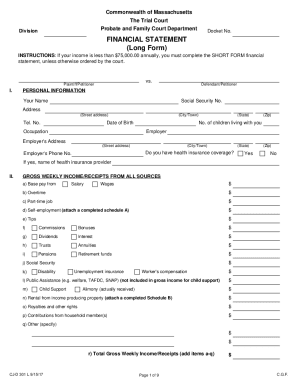
Get Ma Cj-d 301 L 2017-2026
How it works
-

Open form follow the instructions
-

Easily sign the form with your finger
-

Send filled & signed form or save
How to fill out the MA CJ-D 301 L online
The MA CJ-D 301 L form is essential for individuals providing a financial statement in Massachusetts. This guide offers clear instructions on how to complete each section of the form online, ensuring users can navigate the process smoothly.
Follow the steps to fill out your financial statement online.
- Click ‘Get Form’ button to access the MA CJ-D 301 L form and open it for editing.
- Fill in your personal information in Section I. Provide your full name, social security number, address, phone number, date of birth, occupation, number of children living with you, and details of your employer, including their address and phone number. Indicate whether you have health insurance coverage.
- Complete Section II regarding gross weekly income and receipts. Detail all sources of income, including salary, wages, overtime, self-employment, tips, and any other relevant income streams. Ensure the total gross weekly income is accurately calculated.
- In Section III, list your weekly deductions from gross income. This includes federal and state tax withholdings, F.I.C.A., Medicare, and other insurance deductions. Calculate the total weekly deductions.
- Move to Section IV to determine your net weekly income by subtracting total weekly deductions from your total gross weekly income.
- Provide information in Section VI about weekly expenses not deducted from pay, including housing costs, utilities, food, transportation, and any child-related expenses. Summarize your total weekly expenses.
- Fill out Section VIII to disclose assets. Provide details about real estate, vehicles, pensions, and other assets. Be specific about the current value and any loans against these assets.
- In Section IX, account for your liabilities by listing any loans, credit card debts, or consumer debts, including the amount due for each creditor.
- Finally, complete the certification section by signing and dating the form, certifying that the information provided is true. If applicable, ensure the statement by your attorney is filled out.
- After completing the form, review all entries for accuracy. Save your changes and choose to download or print the document for your records or submission.
Start filling out your MA CJ-D 301 L online today to manage your financial statements efficiently.
Most states don't require you to file separate state extension forms if you don't owe any additional taxes. When you file your state return, you only need to attach a copy of your federal extension form. If you owe state tax, you typically must file state tax extension to avoid penalties.