Loading
Get Ca Jv-438 2021-2026
How it works
-

Open form follow the instructions
-

Easily sign the form with your finger
-

Send filled & signed form or save
How to fill out the CA JV-438 online
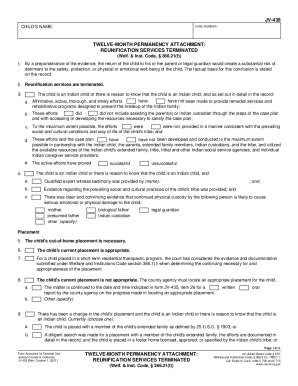
Filling out the CA JV-438 form is an essential step in ensuring proper legal proceedings for children involved in custody matters. This guide provides clear, step-by-step instructions to help users navigate the form effectively, ensuring accurate completion for online submission.
Follow the steps to complete the CA JV-438 form online
- Click ‘Get Form’ button to obtain the form and open it in the editor.
- Begin by filling in the child's name in the designated field at the top of the form. Ensure that the name is written clearly and accurately, as this is crucial for proper identification.
- Enter the case number in the corresponding field. This number should be provided in prior legal documents related to the case.
- For the twelve-month permanency attachment section, check the box that indicates whether reunification services have been terminated. Ensure you understand the implications of this choice.
- In the following sections, provide evidence regarding the child’s status as an Indian child, if applicable. Check the corresponding boxes and fill in the details as applicable to the case.
- Continue through each section, answering the questions related to the child's placement, the appropriateness of that placement, and any ongoing relationships that need to be maintained.
- Document the selection of the permanent plan for the child in the relevant fields, noting any future goals, expected dates, and descriptions necessary for further legal proceedings.
- Review all sections for completeness and accuracy before finalizing your entries.
- Finally, once the form is completely filled out, save your changes, download the form for your records, and if necessary, print or share it as required.
Complete your CA JV-438 and other legal documents online today for efficient processing.