Loading
Get Wi Cv-405 2019-2026
How it works
-

Open form follow the instructions
-

Easily sign the form with your finger
-

Send filled & signed form or save
How to fill out the WI CV-405 online
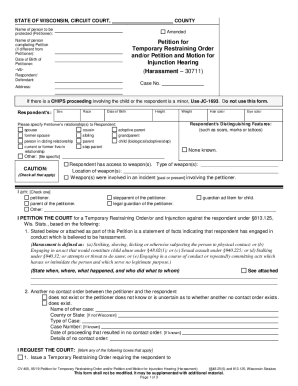
Filling out the WI CV-405 is a crucial step in seeking a temporary restraining order or an injunction hearing for harassment. This guide will provide you with a clear and comprehensive walkthrough on how to complete this important form online.
Follow the steps to successfully complete the WI CV-405 form online.
- Click ‘Get Form’ button to obtain the form and open it in the online editor.
- Begin by entering the name of the person to be protected (the petitioner) at the top of the form.
- If applicable, provide the name of the individual completing the petition, including their date of birth.
- Fill out the details for the respondent or defendant including their name, address, and personal identifiers such as sex, race, and date of birth.
- Indicate the relationship between the petitioner and respondent by checking the appropriate boxes provided.
- In the caution section, note any distinguishing features of the respondent and provide information regarding access to weapons.
- Describe the harassment in detail, including specific incidents that led to this petition. This may be attached separately.
- Provide information about any existing no contact orders, if applicable, and fill in the necessary details.
- Check the appropriate boxes under the section titled 'I REQUEST THE COURT' for the actions you wish the court to take.
- Review all information for accuracy. Then, save your changes, and consider downloading, printing, or sharing the form as necessary.
Complete your forms online with confidence.