Loading
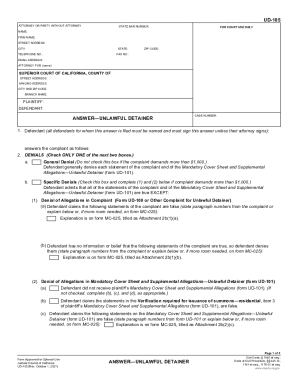
Get Ca Ud-105 2021-2026
How it works
-

Open form follow the instructions
-

Easily sign the form with your finger
-

Send filled & signed form or save
How to fill out the CA UD-105 online
The CA UD-105 form is essential for individuals responding to an unlawful detainer action. This guide provides a clear, step-by-step approach to assist you in completing the form accurately and effectively.
Follow the steps to complete the CA UD-105 online with ease.
- Click ‘Get Form’ button to access the CA UD-105 and open it in an appropriate editor.
- Begin by filling out the attorney or party information. Include the state bar number (if applicable), name, firm name, street address, city, state, telephone number, fax number, email address, and name of the person you are representing.
- Input the details for the superior court where the case is filed. This includes the street address, mailing address, city, zip code, and the branch name.
- List the names of the plaintiff and defendant as indicated in the relevant sections.
- In the response section, indicate how you wish to answer the complaint by selecting either 'General Denial' or 'Specific Denials' and completing the corresponding fields.
- Address any defenses and objections. For each box checked, provide brief facts to support your claim in the designated area.
- Fill out any other statements or requests as needed, ensuring to explain excessive rental claims or other relevant issues.
- After completing the form, review all entries for accuracy. You can then save changes, download, print, or share the form as necessary.
Begin filling out your CA UD-105 online now to ensure a timely and effective response.
After your tenant is served the Summons and Complaint forms, they have 5 days to file a response with the court. The 5 days don't include Saturdays, Sundays, or court holidays.