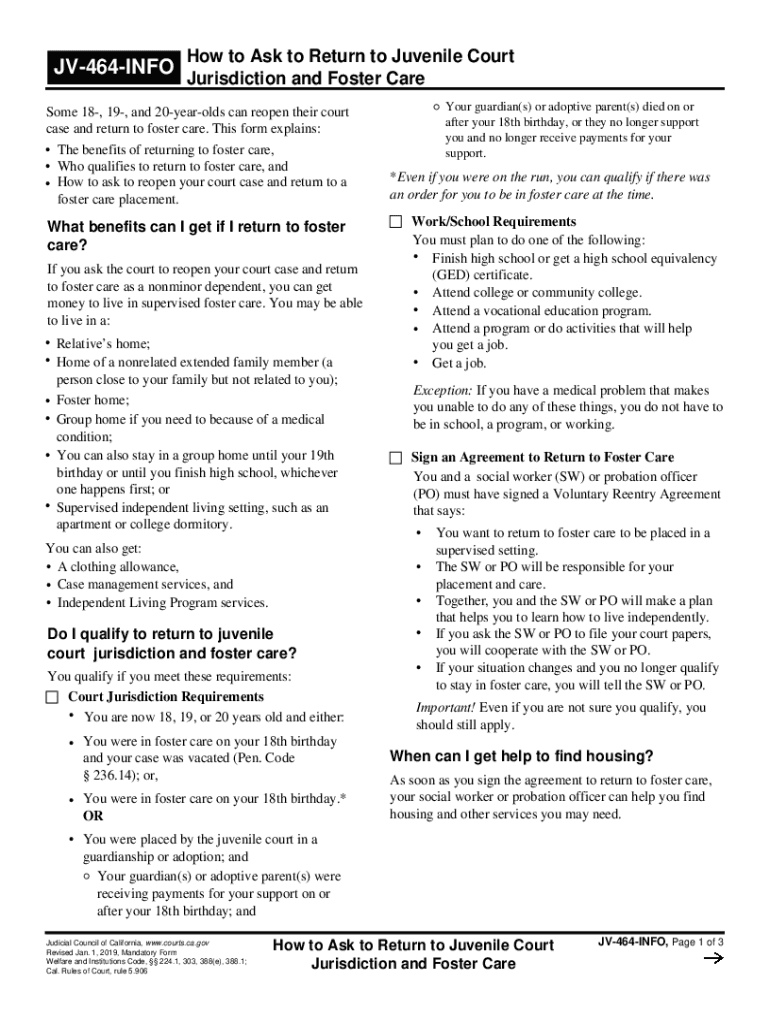
JV464INFOHow to Ask to Return to Juvenile Court Jurisdiction and Foster CareSome 18, 19, and 20yearolds can reopen their court case and return to foster care. This form explains: The benefits of returning.
Loading

Open form follow the instructions

Easily sign the form with your finger

Send filled & signed form or save
How to fill out the CA JV-464-INFO online
Filling out the CA JV-464-INFO form is an important step for individuals aged 18 to 20 who wish to reopen their juvenile court case and return to foster care. This guide offers clear and concise instructions to help you navigate the form with confidence.
Follow the steps to fill out the CA JV-464-INFO online.
- Click the ‘Get Form’ button to obtain the form and open it in your chosen editing platform.
- Review the form thoroughly. The CA JV-464-INFO explains the benefits of returning to foster care and who qualifies for it. Make sure you understand the eligibility criteria.
- Fill in your personal information as prompted on the form, ensuring all details are accurate and current.
- Indicate your reasons for wishing to return to foster care, as well as your plans for education or employment, as required.
- Discuss and sign the Voluntary Reentry Agreement in collaboration with your social worker or probation officer, ensuring that all necessary boxes are checked.
- If you choose to complete the form without assistance, refer to form JV-365 for any additional information needed. Ensure all fields are completed as required.
- Once the form is completed, review it for any errors or missing information before finalizing.
- Submit your completed form either by mailing it or delivering it in person to the relevant juvenile court clerk’s office.
- Keep a copy of the completed form and any submissions made to the court for your records.
Start filling out your documents online today to take the next step towards returning to foster care.
Experience a faster way to fill out and sign forms on the web. Access the most extensive library of templates available.
Related content
Courts: The Judicial Branch of California. Courts ... Jan 1, 2016, Sibling Attachment:...
2019; 2018; 2017; 2016; 2015; 2014; 2013; 2012; 2011; 2010; 2009; 2008; 2007 ... Z...
Use professional pre-built templates to fill in and sign documents online faster. Get access to thousands of forms.
If you believe that this page should be taken down, please follow our DMCA take down process here.