Loading
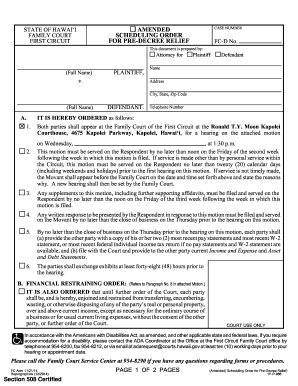
Get Hi Scheduling Order For Pre-decree Relief 2014
How it works
-

Open form follow the instructions
-

Easily sign the form with your finger
-

Send filled & signed form or save
How to fill out the HI Scheduling Order For Pre-Decree Relief online
Filling out the HI Scheduling Order For Pre-Decree Relief online can seem daunting, but understanding each section can simplify the process. This guide provides clear, step-by-step instructions to help users accurately complete this important legal document with confidence.
Follow the steps to complete the HI Scheduling Order for Pre-Decree Relief online.
- To begin, press the ‘Get Form’ button to obtain the HI Scheduling Order For Pre-Decree Relief form and open it in your preferred editor.
- Identify the case number, which is usually provided in the top section of the form. This is essential for correlating your document with the court's records.
- In the ‘This document is prepared by’ section, indicate whether you are the attorney for the Plaintiff or Defendant by checking the appropriate box. Include your full name for identification.
- Next, fill in the names and addresses of both the Plaintiff and Defendant in the designated fields. Ensure that their information is complete, including city, state, and zip code.
- For the hearing details, indicate the specific date and time when both parties must appear in court. This information will typically follow the order stating the motions that need to be addressed.
- Review the service requirements outlined in the form, which detail deadlines for service of motions and responses. Ensure that you are aware of the timeframes necessary for compliance.
- If financial information is requested, gather and input the most recent payroll statements and tax returns as needed, ensuring all parties have necessary documents exchanged before deadlines.
- For any financial restraining order that may apply, review paragraph references in the motion carefully, ensuring all obligations are met according to the requirements outlined.
- If a restraining order is being requested regarding children, carefully complete the appropriate section, indicating the restrictions and conditions that will apply.
- Before finalizing, review all entries for accuracy. Once complete, you can save the changes, download, print or share the HI Scheduling Order for Pre-Decree Relief.
Take the next step by completing your documents online for a smoother legal process.
The contested final hearing is a formal court hearing (like the interim hearing, if you had one). The Judge listens to both sides, then issues a final order. You may give your own testimony and present witnesses and documents.