Loading
Get Ct Jd-cl-111 2017-2026
How it works
-

Open form follow the instructions
-

Easily sign the form with your finger
-

Send filled & signed form or save
How to fill out the CT JD-CL-111 online
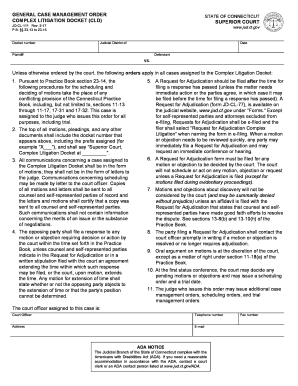
The CT JD-CL-111 form is essential for managing complex litigation cases in Connecticut. This guide provides clear, step-by-step instructions to help you fill out the form accurately and efficiently, ensuring that you meet all necessary requirements.
Follow the steps to complete the CT JD-CL-111 form online.
- Click ‘Get Form’ button to obtain the form and open it in the online editor.
- Begin by filling in the judicial district where your case is assigned. Ensure that this section is correctly selected as it determines where your case will be processed.
- Input the docket number as indicated at the top of the form. This number is critical for tracking your case in the court system.
- Provide the date on which you are filling out the form. This information is essential for the court's record-keeping.
- Enter the names of the parties involved. This includes the plaintiff and the defendant. Ensure that you accurately represent their names as they appear in legal documents.
- After completing all the required fields, review your entries for any errors or omissions. It is important to ensure that all information is accurate to avoid delays.
- Once satisfied with the form's content, you can save your changes, download a copy for your records, print the form for submission, or share it as necessary.
Complete your documents online for streamlined processing and efficiency.