Loading
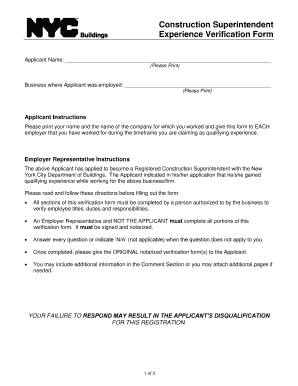
Get Ny Construction Superintendent Experience Verification
How it works
-

Open form follow the instructions
-

Easily sign the form with your finger
-

Send filled & signed form or save
How to fill out the NY Construction Superintendent Experience Verification online
Understanding the NY Construction Superintendent Experience Verification form is essential for applicants looking to become registered construction superintendents. This guide provides clear, step-by-step instructions to help users complete the form accurately and efficiently.
Follow the steps to successfully fill out the form
- Click ‘Get Form’ button to obtain the form and open it in the editor.
- Begin by filling in the applicant's full name in the designated space. Ensure that it is clearly printed for easy reading.
- The applicant must instruct their employer to complete the verification form. They should provide the form to each employer from whom they are claiming experience.
- The employer representative should fill out their name, job title, contact information, and any professional licenses held in the designated sections.
- Answer the questions regarding the applicant’s ability to read construction plans and their roles while employed. Use ‘Yes’ or ‘No’ where applicable, and provide additional comments if necessary.
- The employer representative must sign and date the form, ensuring to include a notary public’s acknowledgment as specified.
- Once completed, carefully review the form for accuracy before returning the original notarized document to the applicant.
- Finally, the user can choose to save changes, download, print, or share the filled-out form as needed.
Ensure your application is successful by completing the NY Construction Superintendent Experience Verification online today.
Employment Verifications for City employees please call the DCAS Employment Verification line at 212-669-1357, option 7, then 1. for Department/Board of Education employees please call 718-935-4000.