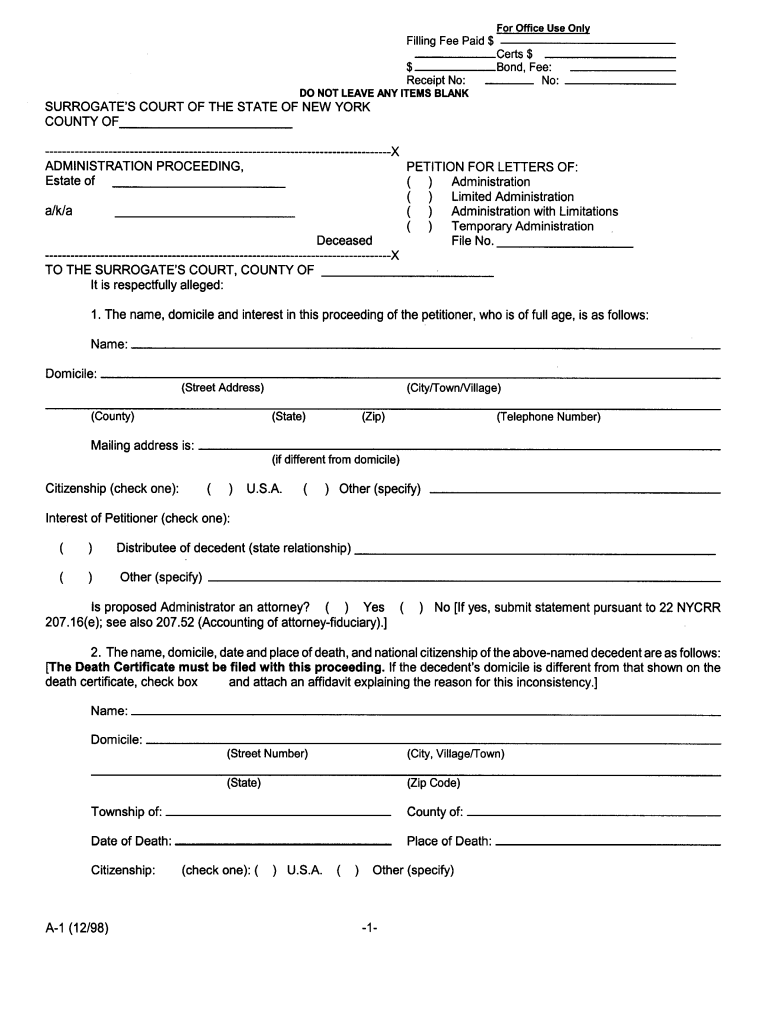
ADMINISTRATION PROCEEDING WAIVER OF CITATION,. Estate of RENUNCIATION AND CONSENT TO. APPOINTMENT OF ADMINISTRATOR. ( INDIVIDUAL) .
Loading

Open form follow the instructions

Easily sign the form with your finger

Send filled & signed form or save
How to fill out the NY Form A1 online
Filling out the NY Form A1 online can streamline your document submission process. This guide provides step-by-step instructions to help you navigate the form with ease.
Follow the steps to successfully complete your NY Form A1 online.
- Click ‘Get Form’ button to obtain the form and open it in the editor.
- Review the form's instructions carefully to understand the information required. This will ensure you have all necessary details before you begin filling it out.
- Start by entering your personal information in the designated fields. Ensure that your name, address, and contact details are accurate.
- Proceed to the next section, where you will provide relevant financial information as requested on the form. Double-check the figures to avoid errors.
- If the form requires supplementary documentation, follow the instructions to upload or attach those files, ensuring they meet the specified format requirements.
- Once you have completed all sections of the form, take a moment to review your entries for accuracy and completeness.
- After confirming all information is correct, proceed to save your changes. You can choose to download, print, or share the completed form as needed.
Begin your document preparation by completing the NY Form A1 online today.
Experience a faster way to fill out and sign forms on the web. Access the most extensive library of templates available.
Related content
All applicants for licensure must initially submit Form 1. You must answer all questions...
The following forms must be completed for the Internship and submitted to the Internship...
The ordering practitioner must sign the form in this field. If the form is filled out by...
Get answers to your most pressing questions about US Legal Forms API.
Who files NYS-1?
The NYS-1 form is filed by employers who withhold New York State income tax from their employees' wages. It is essential for businesses to ensure compliance with tax regulations. If you're seeking a user-friendly way to manage your tax filing responsibilities, consider using US Legal Forms to navigate the requirements for forms like NY Form A1 and NYS-1.
Who needs to file Schedule 1?
Schedule 1 is required for taxpayers who need to report additional income or adjustments to their income on their New York State tax return. This could include business income, rental income, and other specific sources. If you have questions about what to include or about the NY Form A1, resources like US Legal Forms can offer valuable assistance.
Who needs to file NYS-1?
Employers must file NYS-1 if they have employees from whom they withhold New York State income tax. Additionally, any business that pays wages, tips, or other compensation should be aware of this responsibility. For filing and understanding this requirement, using tools like US Legal Forms can simplify your experience with the NY Form A1 and NYS-1.
What form do I use to file NY state taxes?
To file New York State taxes, you typically use Form IT-201 for residents or IT-203 for non-residents. Depending on your specific situation, additional forms may be necessary, such as NY Form A1. Utilizing resources like US Legal Forms can streamline this process, helping you find the correct forms for your tax situation.
Who has to file a NYS return?
You must file a New York State tax return if you are a resident, part-year resident, or non-resident with income from New York sources. Individuals earning over $4,000 or meeting certain other criteria must complete the necessary forms. If you need assistance with the NY Form A1 or other forms, platforms like US Legal Forms can guide you through the process.
What is the difference between NYS-1 and NYS-45?
NYS-1 is a form used for reporting and paying withholding tax for the current period, while NYS-45 is used for the quarterly report of wage and tax information for employees. Each form serves a distinct purpose in New York tax compliance. If you're unsure which form to use, tools like the US Legal Forms platform can help clarify your options, including the use of NY Form A1.
How to file New York City tax return?
To file your New York City tax return, you need to complete the appropriate forms, particularly the NYC resident tax return. You can file online through certified tax platforms or by mailing the forms directly to the taxation department. Don't forget to include any relevant forms, including the NY Form A1 if applicable, to ensure your return is accurate.
How to fill out a sales tax exemption certificate?
To fill out a sales tax exemption certificate, provide all necessary information including your name, address, and type of exemption you are claiming. You will also want to reference the applicable tax number. If you're unsure how to proceed, consider leveraging resources from USLegalForms, especially when completing your NY Form A1 to ensure compliance.
What is the standard tax form?
The standard tax form for most individual taxpayers in New York is IT-201, which is used to report your annual income and calculate your tax liability. If you have specific circumstances requiring a different form, you can explore options like IT-203. For assistance with navigating all these forms, including the NY Form A1, USLegalForms is here to help.
How do I become exempt from sales tax in NY?
To become exempt from sales tax in New York, you need to apply for a sales tax exemption certificate, like the ST-120. Submit this form along with any additional documentation proving your eligibility. USLegalForms provides guidance and templates to help you complete your NY Form A1 and other exemption forms accurately.
Use professional pre-built templates to fill in and sign documents online faster. Get access to thousands of forms.
If you believe that this page should be taken down, please follow our DMCA take down process here.
This form is available in several versions. Select the version you need from the drop-down list below.