Loading
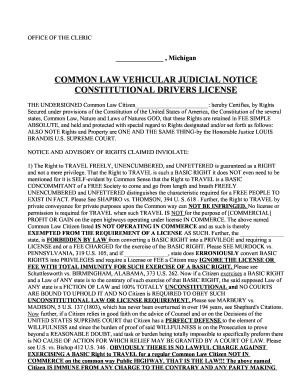
Get Mi Constitutional Drivers License
How it works
-

Open form follow the instructions
-

Easily sign the form with your finger
-

Send filled & signed form or save
How to fill out the MI Constitutional Drivers License online
This guide provides a clear and supportive overview of how to fill out the MI Constitutional Drivers License form online. By following these instructions, users can effectively navigate the process and ensure that their rights are recognized.
Follow the steps to complete your MI Constitutional Drivers License form online
- Click ‘Get Form’ button to access the MI Constitutional Drivers License form and open it for editing.
- Fill in your name in the designated area marked 'Common Law Citizen.' Ensure that all details are accurate as this will be the official statement of your rights.
- Indicate your rights and claims concerning travel and licensing status in the appropriate fields. Elaborate on your understanding of the right to travel freely, unencumbered, and unfettered.
- In the section regarding past contracts or agreements, clarify that you have not willingly given up any constitutional rights. Use clear and concise language to assert your position.
- Review the additional claims about the conversion of rights into privileges, ensuring that your statements are well-articulated and reflect your beliefs.
- Sign the form in the space provided to authenticate your claims. If required, have witnesses or a notary public sign and date the document to validate it further.
- Once all sections are completed and verified, save your changes, download the form for your records, or print it directly to share or submit as needed.
Complete your MI Constitutional Drivers License document online today to assert your rights confidently.
Related links form
Obtain the Record in Person. You can receive your driving record on the same day if you visit any of the branch offices. ... Order by Fax. Complete the request form and fax it to the Department of State at (517) 322-1181. ... Make Your Request by Telephone. Call (517) 322-1624 to order your driving record by telephone.