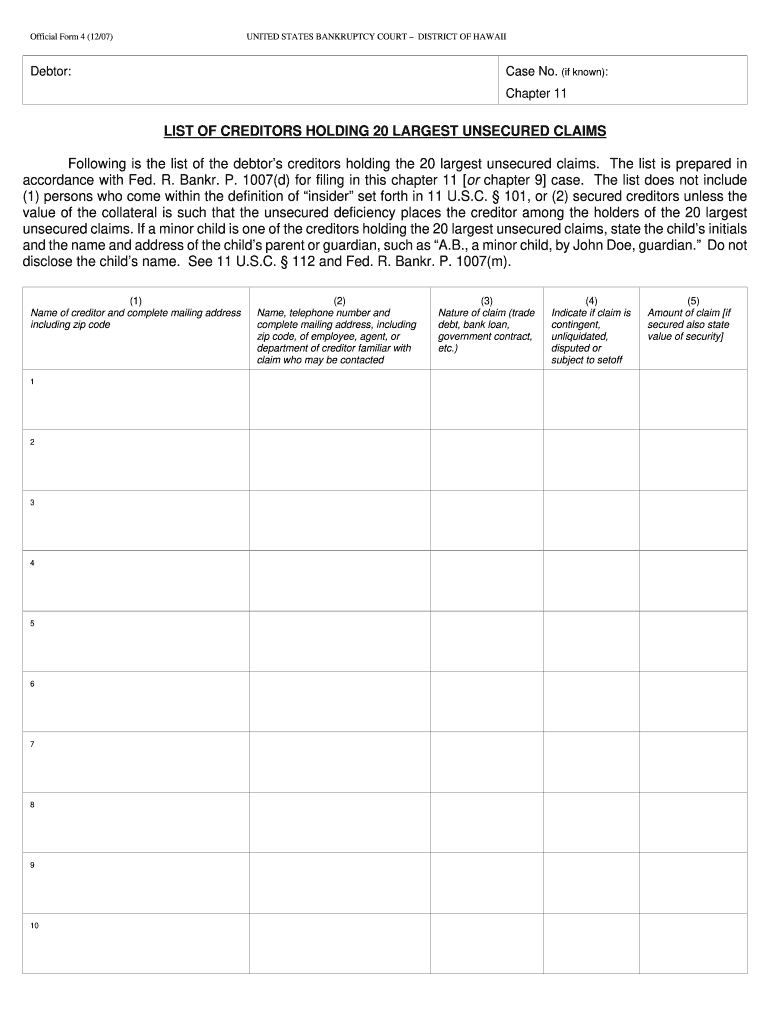
T of the debtor s creditors holding the 20 largest unsecured claims. The list is prepared in accordance with Fed. R. Bankr. P. 1007(d) for filing in this chapter 11 or chapter 9 case. The list does not include (1) persons who come within the definition of insider set forth in 11 U.S.C. 101, or (2) secured creditors unless the value of the collateral is such that the unsecured deficiency places the creditor among the holders of the 20 largest unsecured claims. If a minor child is one.
Loading

Open form follow the instructions

Easily sign the form with your finger

Send filled & signed form or save
How to fill out the HI B-4 online
The HI B-4 form is essential for listing the creditors holding the 20 largest unsecured claims against a debtor in a Chapter 11 bankruptcy case. This guide provides clear, step-by-step instructions to assist you in completing the form accurately and efficiently.
Follow the steps to fill out the HI B-4 online.
- Press the ‘Get Form’ button to access the HI B-4 document and open it in your preferred online editing tool.
- In the first section, you will provide the name and complete mailing address (including zip code) for each of the creditors. Fill out this information for all 20 spaces provided.
- Once all information is filled out, you can save your changes. Consider downloading or printing the completed form for your records or sharing it as necessary.
Complete your HI B-4 form online today to ensure accurate filing.
Experience a faster way to fill out and sign forms on the web. Access the most extensive library of templates available.
Related content
Jun 26, 2024 — CDC recommends Haemophilus influenzae type b (Hib) vaccination for...
by SSC Miranzi · 2007 · Cited by 18 — In addition to respiratory infections, HIB can...
X. : .9 ; X. ( ! += G2 : × 2 9 H. +. G =6 × 2 : H. &. G 62 × 2.9 H. 8 G6/. × YYH. 5 8...
Get answers to your most pressing questions about US Legal Forms API.
How do I file my H-1B tax return?
Filing your H-1B tax return requires specific forms depending on your situation. You will usually need to complete Form 1040 and any other applicable schedules. To ensure you meet all requirements and deadlines, consider using resources like uslegalforms that can provide clarity, especially if you are navigating the HI B-4 intricacies.
How to file H-1B?
Filing for H-1B involves several steps, including gathering appropriate documentation, completing the necessary forms, and submitting them to USCIS. Ensure your forms are accurate and complete; any errors may delay your application. With uslegalforms, you can simplify this process and receive step-by-step guidance for your HI B-4 filing.
Can H-1B be filed online?
Yes, H-1B applications can indeed be filed online through the USCIS portal. This method allows for quicker processing and easier tracking of your application status. When filing your HI B-4 application, using tools from uslegalforms can help ensure you correctly upload all relevant documents online.
Can I file H-1B myself?
Yes, you can file the H-1B application yourself, but it is advisable to have guidance. By using resources such as uslegalforms, you can navigate through the complex forms and requirements with ease. This way, you enhance your chance of a successful HI B-4 application without unnecessary errors.
How do I submit H-1B registration?
To submit your H-1B registration, first complete the necessary forms through the official USCIS website. Ensure that you have all required documents, including proof of eligibility and your employer's details. By utilizing platforms like uslegalforms, you can streamline this process and ensure that you meet all requirements for the HI B-4 registration.
What is another name for the Hib vaccine?
Another name for the Hib vaccine is the Haemophilus influenzae type b vaccine. This vaccine is crucial for protecting children from severe bacterial infections. Recognizing the importance of this vaccination can lead to better health outcomes for your family. By understanding HI B-4 and its significance, you take an informed step in health management.
Is the Hib vaccine 3 or 4 doses?
The Hib vaccine typically consists of four doses, recommended at specific intervals during a child's early years. These doses are given at 2, 4, 6, and 12–15 months of age. Completing the full series is vital to ensure effective protection against the bacteria that cause serious infections. Awareness of vaccination schedules, including HI B-4, is important for maintaining health.
What is the difference between Hib and HepB?
The primary difference between Hib and HepB lies in the infections they target. Hib vaccine protects against Haemophilus influenzae type b, while HepB vaccine targets hepatitis B virus. Understanding these differences is crucial in ensuring proper vaccinations for children and adults alike. Utilizing resources like HI B-4 can help you navigate these options effectively.
Is it better to be on H-4 EAD or H-1B?
Choosing between H-4 EAD and H-1B can depend on your individual circumstances. H-4 EAD allows you to work without employer sponsorship, offering flexibility. In contrast, H-1B requires employer sponsorship but can lead to permanent residency. Evaluating each option in the context of your career goals is essential, which US Legal Forms can help clarify.
Is Hib vaccine the same as hepatitis B?
No, the Hib vaccine and the hepatitis B vaccine are not the same. The Hib vaccine protects against Haemophilus influenzae type b infections, while the hepatitis B vaccine protects against hepatitis B virus infection. Though both vaccines are important for health, they serve distinct purposes. Staying informed about the HI B-4 and its related vaccines can help you make better health decisions.
Use professional pre-built templates to fill in and sign documents online faster. Get access to thousands of forms.
If you believe that this page should be taken down, please follow our DMCA take down process here.