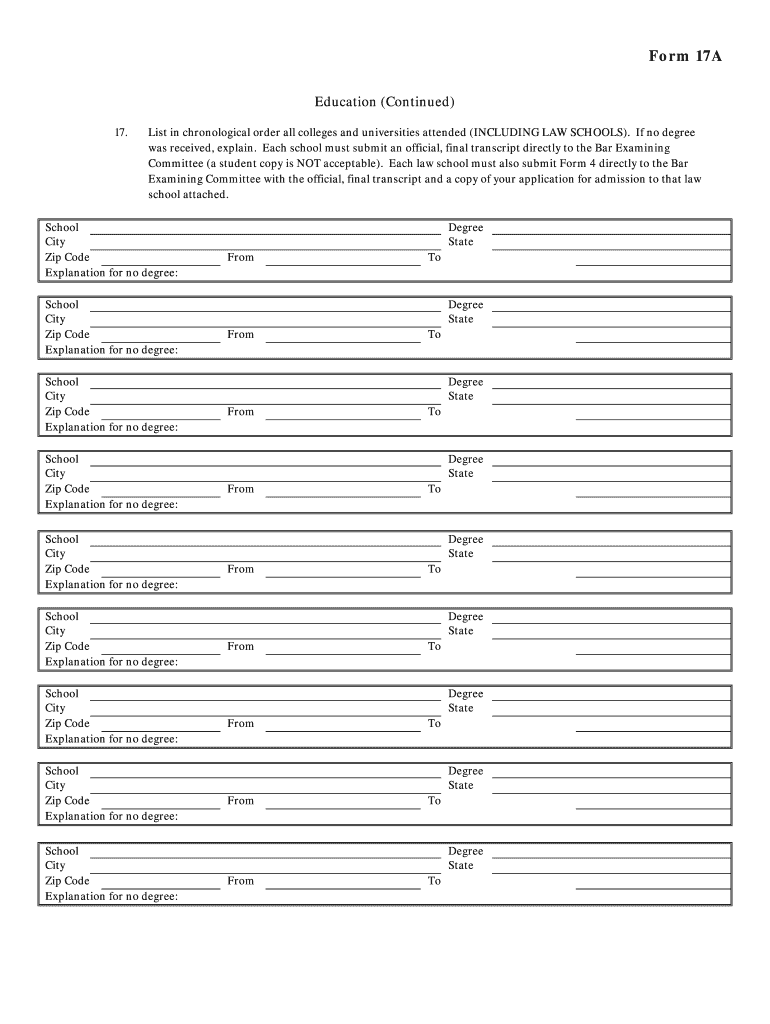
L, final transcript directly to the Bar Examining Committee (a student copy is NOT acceptable). Each law school must also submit Form 4 directly to the Bar Examining Committee with the official, final transcript and a copy of your application for admission to that law school attached. School City Zip Code Explanation for no degree: School City Zip Code Explanation for no degree: School City Zip Code Explanation for no degree: School City Zip Code Explanation for no degree: School City Zip Code.
Loading

Open form follow the instructions

Easily sign the form with your finger

Send filled & signed form or save
How to fill out the CT Form 17A online
This guide provides clear instructions on how to complete the CT Form 17A online. Whether you are familiar with legal documents or not, these step-by-step directions will help you navigate the process effectively.
Follow the steps to successfully fill out the CT Form 17A
- Press the ‘Get Form’ button to access the form and open it in the editor.
- Carefully list in chronological order all colleges and universities you have attended, including law schools. Ensure to fill in the school name, city, and zip code accurately for each institution.
- If you have not received a degree from any of the listed schools, provide a detailed explanation in the designated field for each school.
- For each entry, indicate the degree received, state, and the dates of attendance by filling in the 'From' and 'To' fields.
- Make sure that each school submits an official final transcript directly to the Bar Examining Committee, as student copies are not acceptable. Note that each law school must also submit Form 4 along with these documents.
- Once you have completed all sections of the form, ensure that all details are correct before saving your changes.
- Finally, download, print, or share the completed form as required.
Begin completing your documents online today!
Experience a faster way to fill out and sign forms on the web. Access the most extensive library of templates available.
Related content
(a) The administrative hearing shall be conducted by a hearing officer designated by the...
This compilation includes state, District of Columbia, and territory statutes as of...
Get answers to your most pressing questions about US Legal Forms API.
How do I file taxes as power of attorney?
To file taxes as a power of attorney, you must first complete CT Form 17A to establish your authority. Once you have this form processed, you can then prepare and submit the tax return on behalf of the individual you are representing. Ensure that all required signatures and documentation accompany the return to avoid any delays or issues with the IRS or state tax authorities.
Where to get CT State tax Forms?
You can obtain CT State tax forms, including CT Form 17A, directly from the Connecticut Department of Revenue Services website. This site provides downloadable forms and comprehensive instructions for filling them out. Alternatively, you can also find these forms through tax preparation platforms or services like USLegalForms, which streamline the process with user-friendly templates.
What is the difference between power of attorney and financial power of attorney?
Power of attorney is a broad term that allows someone to act on behalf of another person in various matters, including healthcare and legal issues. Financial power of attorney, however, specifically grants rights related to managing someone’s financial affairs, including taxes. CT Form 17A serves as a specific type of financial power of attorney, allowing for specified actions regarding tax matters in Connecticut.
Can I file taxes on behalf of someone else?
Yes, you can file taxes on behalf of someone else if you have the proper authorization, typically through a power of attorney. Using CT Form 17A, you can secure the necessary permissions to act on behalf of another individual for their tax filings. This process simplifies dealing with tax responsibilities, especially for individuals who may be unable to do so themselves due to circumstances like illness or travel.
What is a CT tax power of attorney form?
A CT tax power of attorney form, specifically CT Form 17A, is a legal document that enables you to authorize another person to represent you in tax matters in Connecticut. This form ensures that your tax affairs are in good hands if you are unable to attend to them personally. By filling out CT Form 17A, you can streamline communication with the Connecticut Department of Revenue Services through your appointed representative.
What is the power of attorney form for the IRS?
The power of attorney form for the IRS allows an individual to appoint someone else to act on their behalf regarding tax matters. By using CT Form 17A, you can give your designated representative the authority to handle your taxes, communicate with the IRS, and receive confidential information. This form is crucial when you cannot manage your tax responsibilities due to various reasons, such as absence or incapacity.
What is a Form 1A CT workers comp?
Form 1A for CT workers comp serves to report claims related to workplace injuries in Connecticut. This form is essential for both employers and employees in understanding their rights and obligations regarding compensation. To manage these situations efficiently, documentation like CT Form 17A may come into play during the claims process.
What is the use form for CT sales and tax?
The use form for CT sales and tax is designed for reporting and paying sales tax on purchases in Connecticut. This form is crucial for businesses that operate within the state and must comply with local tax laws. Understanding how this interacts with CT Form 17A can help ensure all tax matters are handled smoothly.
What is the CT income tax extension form?
The CT income tax extension form allows taxpayers to extend their filing deadline, giving them more time to prepare their tax returns. This form is essential for those who need extra time to gather information or who anticipate challenges in filing on time. Be sure to check the specifics regarding CT Form 17A for any related deadlines.
What paperwork is needed to register a car in CT?
Registering your vehicle Current registration certificate and certificate of title if registering a used vehicle. Bill of sale. Current Connecticut insurance card. Identification, such as driver's license, learner's permit, or ID card.
Use professional pre-built templates to fill in and sign documents online faster. Get access to thousands of forms.
If you believe that this page should be taken down, please follow our DMCA take down process here.