Loading
Get Co Jdf 1515 2014-2026
How it works
-

Open form follow the instructions
-

Easily sign the form with your finger
-

Send filled & signed form or save
How to fill out the CO JDF 1515 online
Completing the CO JDF 1515 form online can be a straightforward process when you have clear guidance. This guide will walk you through the essential steps to ensure that all sections are filled out correctly and efficiently.
Follow the steps to successfully complete the CO JDF 1515 form.
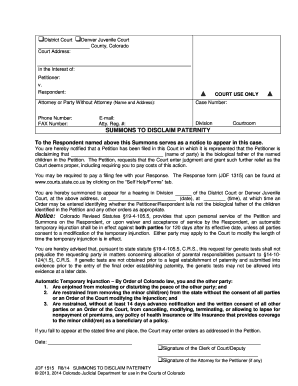
- Press the ‘Get Form’ button to access the CO JDF 1515 document. This will open the form in the online editor, allowing you to begin filling it out at your convenience.
- Provide the court details by selecting the appropriate court type, either District Court or Denver Juvenile Court, and fill in the corresponding court address.
- In the section labeled 'In the Interest of:', insert the names of the children referenced in the petition.
- Fill in the details of the petitioner and respondent, including their names and roles in the case.
- Enter the attorney or party information in the designated fields. Include the name, address, phone number, fax number, email address, and attorney registration number, if applicable.
- Make sure to include the case number, division, courtroom, and date and time of the hearing in the appropriate sections of the form.
- Review the content of the summons, ensuring the language clearly states the purpose of the summons and any necessary notifications regarding potential consequences.
- Complete any additional sections as instructed, particularly regarding the automatic temporary injunction and any obligations outlined.
- After filling out the form, review it thoroughly for accuracy and completeness. Once satisfied, you can save the changes, download, print, or share the form as needed.
Take the next step and complete your documents online today!
Here's a step-by-step walkthrough: Download and complete the required forms. These are available online on the Colorado court website. ... File the completed forms with the court. ... Provide the other party with a copy of the motion by mail. Wait for further updates from the court on hearings or direct rulings.