Loading
Get Ca Jv-280 S 2007-2026
How it works
-

Open form follow the instructions
-

Easily sign the form with your finger
-

Send filled & signed form or save
How to fill out the CA JV-280 S online
Filling out the CA JV-280 S form online can seem daunting, but with the right guidance, it becomes a straightforward process. This guide will walk you through each section and field, ensuring you complete the form accurately and efficiently.
Follow the steps to complete the form with ease.
- Click ‘Get Form’ button to access the form and open it in the editing interface.
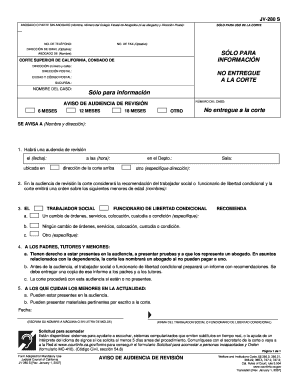
- Begin by filling in the contact information section. Enter the name, state bar number (if applicable), and mailing address of the attorney or self-represented party. Include a phone number for contact purposes, and an optional fax number and email address if available.
- In the next section, provide the name of the case and the case number. This information is typically found in the court documents related to your case.
- Indicate the type of review hearing by selecting the appropriate option: 12 months, 6 months, 18 months, or another specified timeframe. Ensure this aligns with the court's guidelines.
- Next, you will need to provide notification details. Enter the name and address of the person being notified about the hearing.
- Fill in the specific date and time of the review hearing, including the department and courtroom where it will take place. If the hearing is at a different address, specify that as well.
- In the section regarding recommendations, select whether there is a recommendation for a change in orders, services, placement, custody, or conditions. Provide any necessary details pertaining to these recommendations.
- Acknowledge the rights of parents, guardians, and minors by following the provided information. Be sure to indicate understanding of their right to attend the hearing and present evidence.
- At the bottom of the form, write your name in print or cursive as the signatory. If you are a social worker or probation officer, include your signature.
- Once you have completed all necessary fields, review the form for accuracy. Save your changes to retain the information. You may then download, print, or share the completed form as needed.
Start completing your forms online today for a more efficient process.
In California, there are two primary types of guardianship: guardianship of the person and guardianship of the estate. Guardianship of the person involves caring for a minor's personal needs, while guardianship of the estate pertains to managing a minor's financial affairs. Understanding these differences, especially with forms like CA JV-280, can help you navigate the process confidently.