Loading
Get Ca Jv-127 S 2007-2026
How it works
-

Open form follow the instructions
-

Easily sign the form with your finger
-

Send filled & signed form or save
How to fill out the CA JV-127 S online
The CA JV-127 S form is an important document used in the adoption process within California. This guide will help you navigate through the form step by step, ensuring each section is completed correctly and thoroughly.
Follow the steps to fill out the CA JV-127 S correctly.
- Click ‘Get Form’ button to access the document and open it in the online editor.
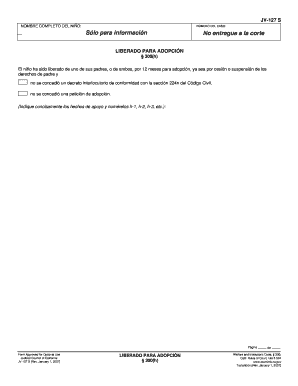
- In the first section, enter the full name of the child. Ensure the spelling is accurate, as this will be a crucial identifier for the case.
- Next, input the case number associated with this adoption. This number is essential for tracking and reference throughout the legal process.
- The following section contains a statement regarding the child’s status. Indicate whether the child has been freed for adoption under § 300(h) by providing a concise description of the supporting facts. Assign each fact a number, such as h-1, h-2, h-3, etc., for clarity.
- Review all the entered information to ensure accuracy. It is important to double-check spelling, dates, and other details for a smooth filing process.
- Once all sections are complete, you can save changes, download, print, or share the document as needed to complete your filing process.
Complete your documents online today for a seamless filing experience!
The JV 100 form is designed to assist in a motion to terminate parental rights in California. This legal form is significant in cases where the best interest of the child is in question. When filing such sensitive documents, using the CA JV-127 S can streamline your legal process and ensure you meet all statutory requirements effectively.