Loading
Get Ca Jv-123 2007-2026
How it works
-

Open form follow the instructions
-

Easily sign the form with your finger
-

Send filled & signed form or save
How to fill out the CA JV-123 online
Filling out the CA JV-123 form online can be a straightforward process if you follow the instructions carefully. This guide provides clear, step-by-step directions to help you complete the form accurately and efficiently.
Follow the steps to complete the CA JV-123 form efficiently.
- Press the ‘Get Form’ button to access the form and open it in your online interface.
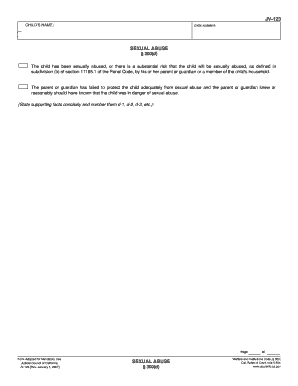
- In the section labeled 'Child's name', input the full name of the child as it appears in legal documents.
- Enter the case number associated with the child’s situation in the designated field.
- In the 'Sexual Abuse' section, indicate whether the child has been sexually abused or is at risk of abuse by checking the appropriate options.
- Provide concise supporting facts for the claim of abuse or risk of abuse, numbering them as d-1, d-2, d-3, etc., in the space provided.
- Once you have completed the form, you can proceed to save your changes, download a copy, print the completed form, or share it as needed.
- Ensure to use the 'Clear This Form' button at the end of the form to protect your privacy before closing.
Complete your CA JV-123 form online today for a streamlined filing process.
JV refers to 'Juvenile' in legal contexts. This term is vital in the justice system, especially when addressing cases involving minors, where the focus is on rehabilitation rather than punishment. Utilizing resources like the CA JV-123 can enhance your understanding of juvenile legal processes and requirements.