Loading
Get Ca Declaration 1987-2026
How it works
-

Open form follow the instructions
-

Easily sign the form with your finger
-

Send filled & signed form or save
How to fill out the CA Declaration online
This guide will help you navigate the process of filling out the CA Declaration form online. Whether you are a seasoned user or new to legal forms, these clear steps will support you in completing the declaration efficiently.
Follow the steps to successfully complete your CA Declaration online.
- Press the ‘Get Form’ button to retrieve the CA Declaration form and open it in your document editor.
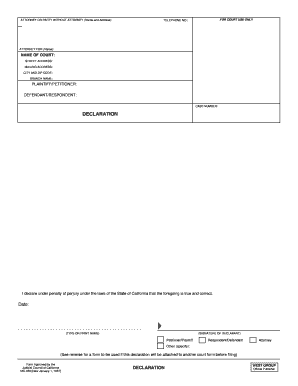
- Begin by filling out the attorney or party without attorney section, if applicable. Include your name and address, as well as your telephone number.
- Next, indicate the name of the court where you are filing the declaration. Provide the street address, mailing address, city, and ZIP code.
- In the section for the plaintiff or petitioner and defendant or respondent, list the names of the relevant parties involved in the case.
- Enter the case number assigned to your court case; this is crucial for identifying your declaration.
- In the declaration section, confirm the statement by declaring under penalty of perjury that the information you provided is true and correct.
- Date the document to indicate when you are completing the declaration.
- Type or print your name in the designated area and sign the form where indicated.
- Select the appropriate role (petitioner/plaintiff, respondent/defendant, attorney, or other) from the options provided.
- Finally, save your changes. You can also download, print, or share the completed form as needed.
Complete your CA Declaration online today and ensure your legal needs are met promptly.
Filling out a declaration statement involves clearly stating your situation or assertion in a structured format. Start with an introduction that outlines the purpose of your CA Declaration, then provide the necessary details in a concise manner. Make sure to check for accuracy and completeness before submitting the statement to ensure it serves its intended purpose.