Loading
Get Ca Cr-113/jv-793 2014-2026
How it works
-

Open form follow the instructions
-

Easily sign the form with your finger
-

Send filled & signed form or save
How to fill out the CA CR-113/JV-793 online
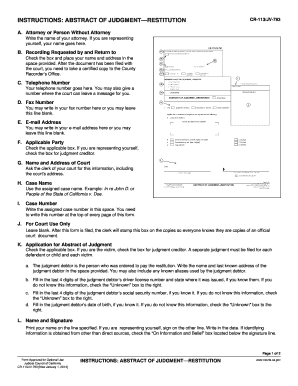
Filling out the CA CR-113/JV-793 form is an essential step in recording a judgment in California. This guide provides clear and detailed instructions to help you complete the form correctly and efficiently, ensuring your rights are protected.
Follow the steps to fill out the CA CR-113/JV-793 form online.
- Press the ‘Get Form’ button to obtain the form and open it in the designated editor.
- In section A, provide your name if you are representing yourself. If you have an attorney, enter their name.
- For section B, check the box and enter your name and address where specified. Remember to take a certified copy to the County Recorder’s Office after filing it with the court.
- In section C, fill in your telephone number. You may also provide a different number for the court to leave messages.
- In section D, you can include your fax number if applicable; otherwise, you can leave it blank.
- For section E, enter your email address if you wish; otherwise, this section can remain blank.
- In section F, check the relevant box. If you are representing yourself, mark the box for judgment creditor.
- Section G requires the name and address of the court. You will need to ask the clerk for this information.
- In section H, enter the assigned case name, following the example format provided.
- For section I, write the assigned case number, which should appear at the top of every page of the form.
- Leave section J blank, as this is for court use only; the clerk will stamp this box on copies of the form.
- In section K, check the appropriate box regarding whether you are the victim or another party. Include the judgment debtor's name and last known address, plus any aliases.
- Complete the additional information in section K regarding the judgment debtor's driver license number, social security number, and date of birth, as applicable.
- Print your name in section L and sign it if you are representing yourself, adding the date of signature. If information was sourced indirectly, check the ‘On Information and Belief’ box.
- In section M, repeat the case name and case number for consistency.
- Section N requires you to enter your name as the judgment creditor.
- Fill in the full name of the judgment debtor in section O.
- Enter the judgment date in section P or leave it for the clerk if unknown.
- Provide the amount of the judgment in section Q, or leave it for the clerk if it is unknown.
- In section R, specify if a stay of enforcement has been ordered and provide relevant dates if applicable.
- Section S will be completed by the clerk after the judgment is issued; leave this section blank.
- Once you have filled out the form, you can save changes, download, print, or share the form as needed.
Complete your documents online now for a smooth filing experience.
Collecting on a small claims judgment in California typically begins with obtaining the CA CR-113/JV-793. Once you have this form, you can initiate collection actions against the debtor. You may choose methods like wage garnishment or bank levies, depending on the debtor's financial situation. Platforms like USLegalForms can assist you in understanding your options and offer valuable resources.