Loading
Get Ak Pg-420 2008-2026
How it works
-

Open form follow the instructions
-

Easily sign the form with your finger
-

Send filled & signed form or save
How to fill out the AK PG-420 online
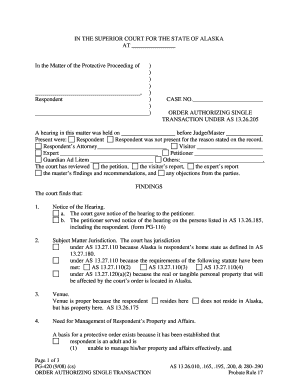
The AK PG-420 is a crucial form in the protective proceedings within the Superior Court for the State of Alaska. This guide provides user-friendly, step-by-step instructions to assist individuals in filling out this form accurately and efficiently.
Follow the steps to complete the AK PG-420 form online
- To begin, click the ‘Get Form’ button to access the form and open it in your preferred online editing tool.
- Fill in the jurisdiction section at the top of the form with the relevant information pertaining to the court's location and case number. Ensure you have the correct hearing date and judge's name ready for entry.
- Provide information about the respondent, including their full name, address, and any other necessary identifying details. Make sure this information is accurate to avoid delays in processing.
- In the findings section, respond to each numbered item by providing clear and concise details. Outline the reasons for needing a protective order, including the respondent's inability to manage their affairs and the risk of property wastage.
- Complete the order section by specifying the transaction intended to be authorized, and ensure it is in the best interests of the respondent.
- Provide any additional information required, such as the reporting requirements after the transaction is completed. This includes details on who must be notified and any necessary addresses.
- Once all sections are completed, review the document to ensure all information is correct and complete. You may save changes, download the file, print a copy for your records, or share it as needed.
Start filling out your Alaska PG-420 form online today to ensure a smooth process.
You may also contact the Alaska Court System at 907-274-8611 or you can look up your case status in “COURTVIEW” on the court website. You can determine your next court date by viewing the DOCKETS tab.